Known Participant
August 8, 2017
Question

adobe reader DC copy paste issue

  • August 8, 2017
  • 2 replies
  • 4456 views

My PDF page looks like this when I want to copy and paste.
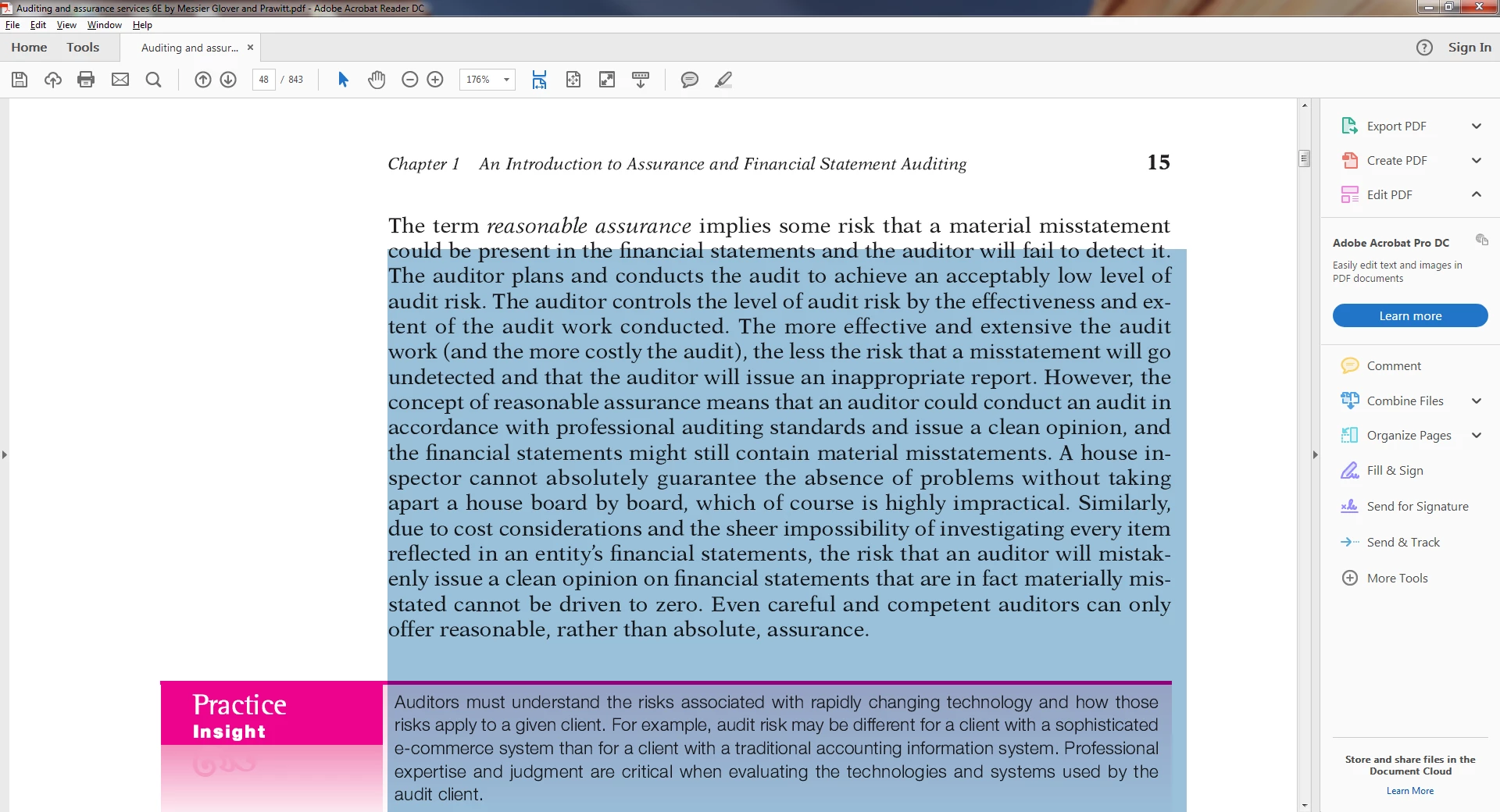
How can I get my PDF page to blue highlight (ie copy and paste) one sentence at a time? It will not let me in this particular pdf file.

    This topic has been closed for replies.

    2 replies

    ~graffiti
    Legend
    August 9, 2017

    Even if Reader could do it, it wouldn't be a change done to the pdf file. It would be a change made to the original file before the pdf was created. The pdf is what it is.

    kempmaerAuthor
    Known Participant
    August 9, 2017

    Is there another way to get you the file so you can look at it?

    ~graffiti
    Legend
    August 9, 2017

    How did you get the file? Did you create it, get it via email or did you download it? If the latter, where did you download it from? Looks like a somewhat official document as far as I can see so it could be available somewhere.

    Anyhow, I am out of time for the day. I'll look in tomorrow.

    ~graffiti
    Legend
    August 9, 2017

    If you cannot select individual words or characters, it could be because the pdf is a scanned image. You would need to run Optical Character Recognition on it to make the text selectable. Reader doesn't have that ability.

    kempmaerAuthor
    Known Participant
    August 9, 2017

    No, that's not right. Its not a scanned image. The cursor is larger than normal size and I can copy paste but its forcing me to copy paste multiple lines rather than a single line.