


Participant
August 19, 2020
Question

Adobe Reader DC | Internet Explorer KB4571687 | Can't print PDF file

Adobe Reader DC 2020.012.20043 | Internet Explorer KB4571687 - Cumulative Update August 2020 | Can't print PDF file from Internet Explorer

Reproduced on several Computers with the Cumulative Update

Steps to Reproduce:

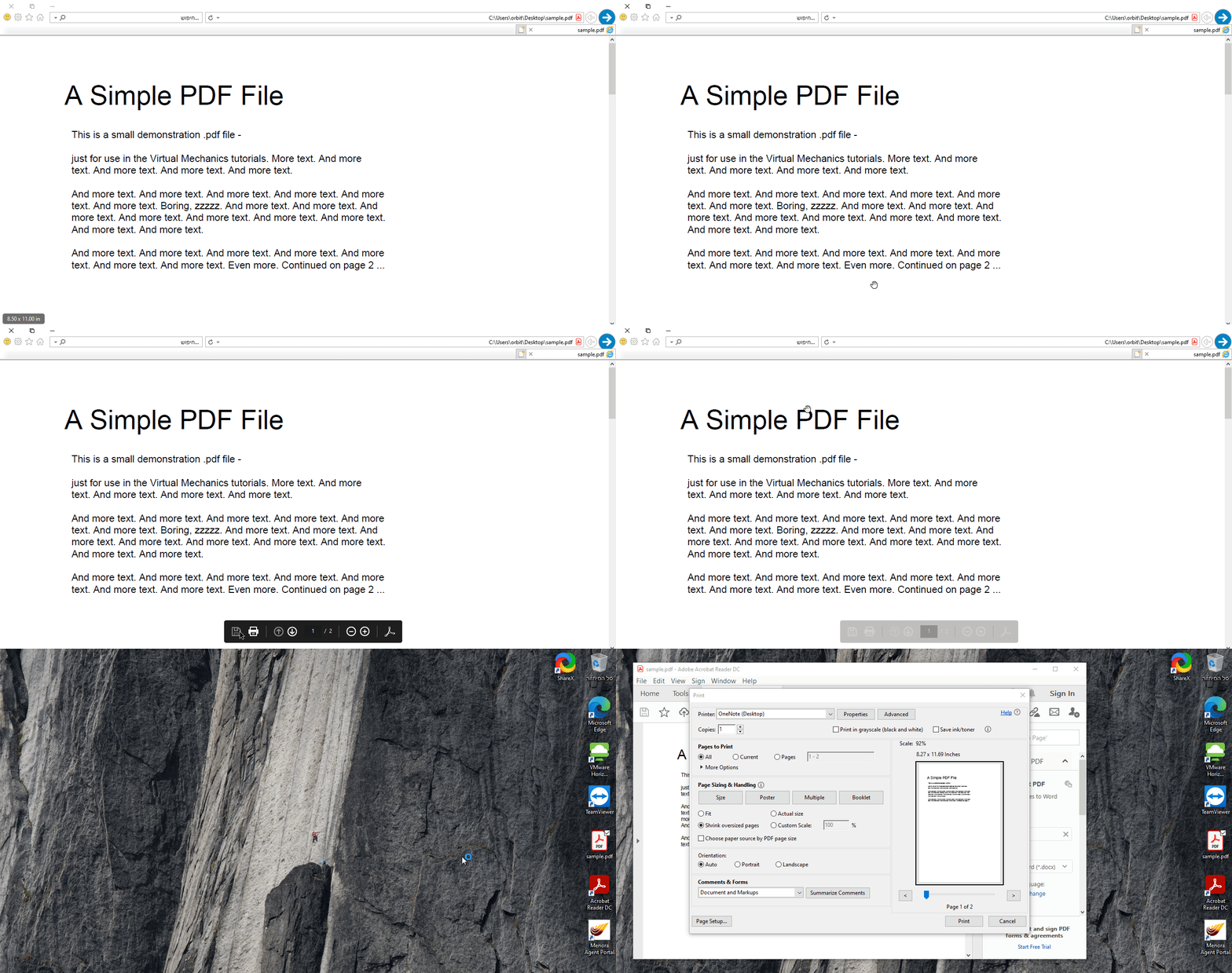
  1. Open PDF file from Internet Explorer (File > Open > All Files > PDF File)
  2. Press the Printer icon  - The print dialog won't open.
 

Workaround:

  • On Internet Explorer, under "Manage Addons" select "All add-ons" or "Run Without Permission" then choose "Adobe PDF" - disable it
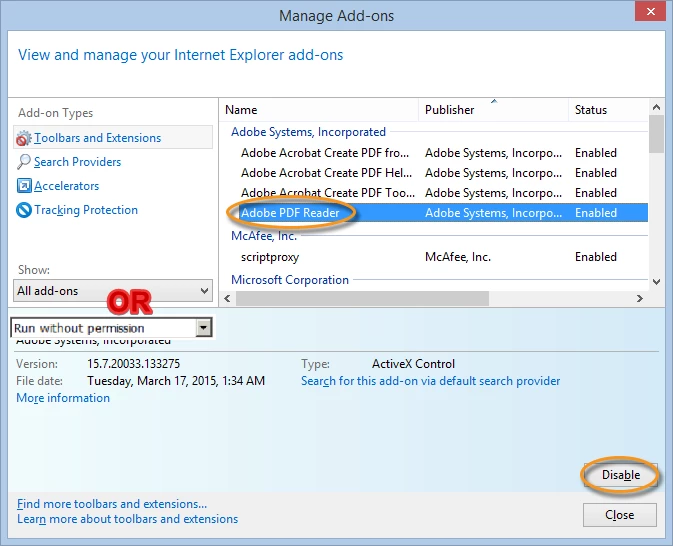
          By doing that, Internet Explorer will start the "Open, Save, Cancel" Dialog and allow you

          to Open the file and print by pressing the Printer icon

  • Install different PDF Reader - like Foxit Reader - it works as intended - when pressing the Printer icon, the print dialog will start
This topic is closed to new replies. Start a new post to keep the conversation going.

7 replies

Participant
August 24, 2020

I wanted to add to this, specifically workaround #2. You may need to go under the "Show" option and select All add-ons, then you will be able to disable the PDF Reader add-on. The add-on will not show in the default view unless it is currently running on the PC.


@Adobe. Please do not ignore this thread. There was another great thread about this exact topic that was making progress and was then locked after a completely unrelated patch was released by Microsoft that had absolutely nothing to do with the actual issue.


This has been an issue for about a month now and it does not seem to be getting much attention by anyone except the community. Microsoft has nothing about it in known issues for version 2004 and I can't find anything from your company regarding it.

Translate
Or BitonAuthor
Participant
August 25, 2020

Thank you for the comment.

For some reason, on few of the computers I've encountered, the add-on is not shown , although I've chose all Addons.

Translate
Participant
August 27, 2020

For this I found it located under the run without permissions area. I will say this workaround was extremely helpful until a fix can be applied. 

Translate
Participant
August 19, 2020

I've just checked it for myself and you're right 😳, funny though.. reinstall doesn't seem to help at all.

Translate