Adobe reader dc not printing
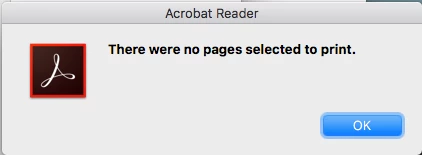
I have a Late 2011 MacBook Pro which has a i7 CPU and 16Gb RAM, 1 Tb SSD installed. The problem I get is that when try to print a PDF file with Adobe Reader DC I get an error message which says ‘There are no pages selected to print’ as shown in the Picture.
I have tried re-installing Adobe Reader several times and even tried older versions but with exactly the same error message on printing. I have also tried a complete fresh install of Mac OS, but this hasn’t changed the error either.
I can print the same documents with Foxit reader and PDF Reader Pro Free but I occasionally get a PDF from my bank which Adobe Reader DC will open ( won’t print because of this issue ) but neither Foxit or PDF Reader Pro Free will open at all.
I have seen on the Web that other people have had this issue and have either disabled Enhanced Security within Adobe Readers preferences or set the PDF to print as an image within the Print dialog to resolve the problem but this has not worked for me, I get the same error message with either the print as image selected or the Enhanced security disabled.
I have Adobe Reader DC installed on my Mid 2011 Mac Mini and that uses the same printer, and that prints the same PDFs fine.i get the same error with all three of the printers I have at my work and it will not work with those either.
does anyone have any ideas?
 AdChoices