


Participant
June 15, 2023
Question

Adobe Reader Disable New Acrobat Reader plus Remove Take the Tour Window

  • June 15, 2023
  • 2 replies
  • 28325 views

Hi

Does anyone know the registry keys to Disable New Acrobat Reader and also the same to remove this windows when a user first users Adobe Reader?
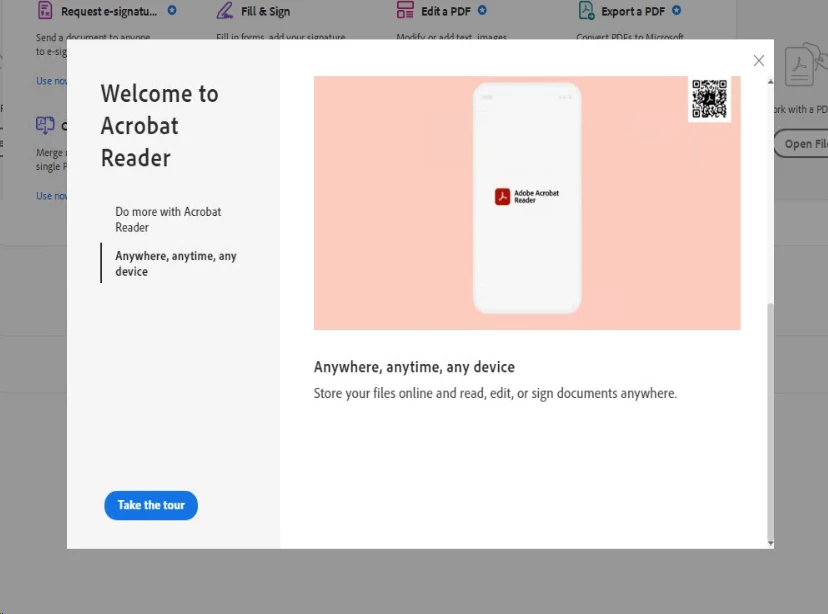
We are experiencing a lot of freezing with Adobe Reader or it closing down straight away after trying to open a document. It seems to coincide with this new 'Modern' look. You can click this
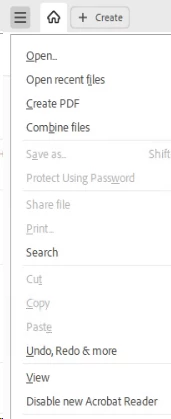
and then select Disable new Acrobat Reader but is there a registry hack for this so I don't have to ask every user to do this?


This topic has been closed for replies.

2 replies

cris.t
Participant
September 16, 2023

hi. i'm struggling with this for about a week but here i come:

disable new acrobat reader:

[HKEY_CURRENT_USER\SOFTWARE\Adobe\Adobe Acrobat\DC\AVGeneral]
"bEnableAV2"=dword:00000000

enable new acrobat reader:

[HKEY_CURRENT_USER\SOFTWARE\Adobe\Adobe Acrobat\DC\AVGeneral]
"bEnableAV2"=dword:00000001

Participant
September 27, 2023

This unfortunately does not work for version 2023.003.20284 or the latest version running on Windows 11.

cris.t
Participant
October 3, 2023

acrobat reader 2023.006.20320 x64 on many windows 11 and 10 machines (all x64) and still working here.

AkanchhaS8194121
Legend
June 16, 2023

Hi @grahamp17106833 


Thanks for reaching out.


We have the registry settings to disable the Start Tour window permanently 

If you want to disable the 'Start-tour' option, you can change these registry settings:

[HKEY_CURRENT_USER\Software\Adobe\Acrobat Reader\DC\FTEDialog]

"iFTEVersion"=dword:0000000a

"iLastCardShown"=dword:00000000"

For screenshots, please refer to the Adobe discussion pop up


We currently do not have the registry keys to disable the new Acrobat Reader. Will check with the engineering team if there's any plan in the near future. 


Thanks,

Akanchha 

Participant
June 16, 2023

Hi, is there a difference in the name of the registry keys depending on whether you are running 32 bit or 64 bit version of the Reader?