
Participant
July 9, 2019
Question

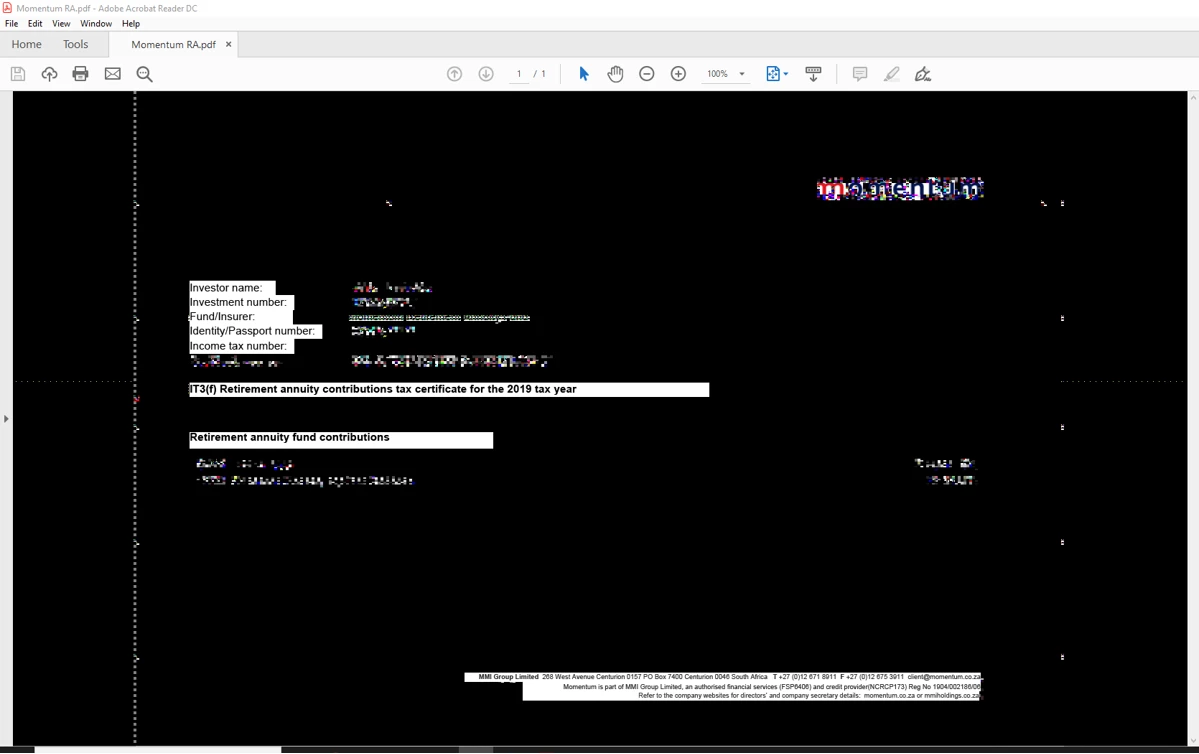
Adobe reader document turns black when clicked

  • July 9, 2019
  • 1 reply
  • 10621 views

Hi,

Hoping someone can help.

Please see below. The document is fine when I open it but the moment I click it, this happens.

Tried opening the same document on another PC and it's fine.

Please help
    This topic has been closed for replies.

    1 reply

    AkanchhaS8194121
    Legend
    July 12, 2019

    Hey Ethann,

    This kind of behavior where document's background goes black and text appears to be white, generally because of the change in Acrobat's accessibility's preferences setting.

    1. You may check the options selected under Adobe Reader>Edit>Preferences>Accessibility what are the settings you see there?

      2.If, there's nothing wrong with the preferences settings. Then there could be an issue with your system's Graphic cards. You may update system drivers.

    Navigate to Device manager>Display adapters>right click Update driver>Reboot computer and check again.

    Let us know the result.

    Thanks,

    Akanchha

    Participant
    February 5, 2020

    Hello, 


    I just purchased a new computer Lenovo E595, and i am having the same issue. It is not the document because i can open it fine on the same type of computer just not the same device. I tried the settings above and it still didnt work. PLEASE HELP

    Participant
    February 16, 2020


    Hi, I am having the same issue.  I have changed the accessibility setting as suggested above and drivers and firmware are updated.


    Any suggestions?