
Participant
November 28, 2018
Question

Adobe reader menu text very small

  • November 28, 2018
  • 4 replies
  • 8110 views

Hi Adobe forum

I have an issue, my menu items are very small, which means that it is hard to read, in addition to adobe handling the text badly, as seen below in the printer settings.
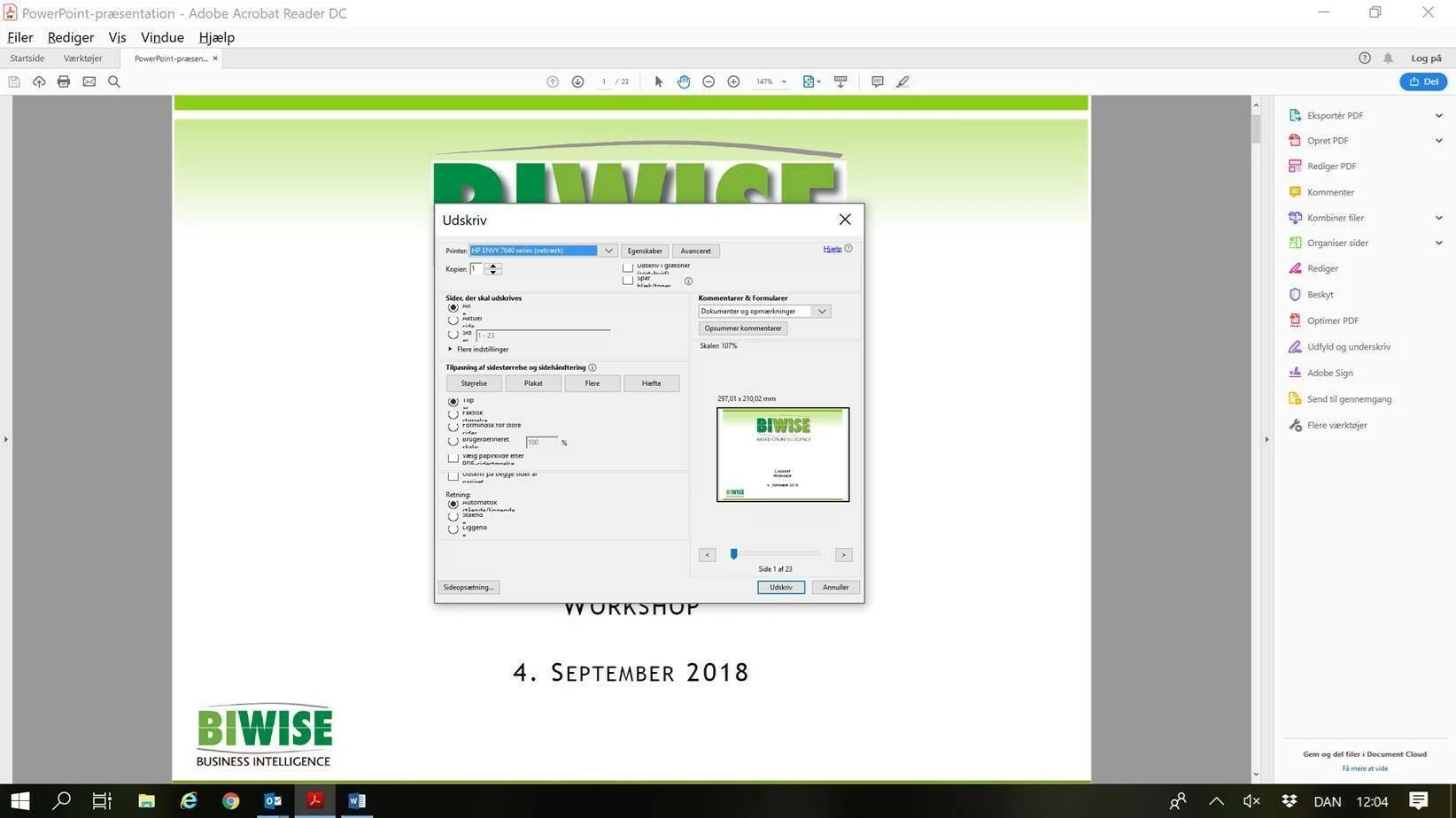
This is also a problem in the menus, when i click on them and the possible items drops down, but not on the menu button itself.

How do i remedy this? I have been through the options, which didn't help me.

Thank you in advance for your answers!

Best regards

Martin

4 replies

Participant
January 19, 2024

Menu > View > Display size > Large

I'm not sure if this is an option in Reader but it works in Acrobat.

Hope this helps,

Holly

whalil
Participant
January 22, 2024

Thanks, that helped. The menu text and icons could still be a little larger.

Adobe, are you listening?

Participant
July 25, 2024

With the latest Acrobat Reader, I used "Menu --> View -->Display size--> [Small/Standard/Large].  Both Standard and Large worked for me (I have a 4K monitor).

Participant
November 20, 2023

I found it!! 


Menu-view-page display. 


I searched 'preferences' a million times but nothing worked. Adobe just but the setting in a wonky place!

Participant
January 15, 2024

I am unable to find it and it is making Adobe unusable. If this doesn't change, I will need to go to another provider.

Known Participant
January 13, 2023

On an 8k screen, with Windows adjusted to cope wit hthe resolution,, the menu items are invisible. Using screen magnifier shows that most text is missing and what exists is upside down and at a 30 degree angle. This application has gone from cranky to utterly unusable in the past month. 

jennifer.sykes
Inspiring
June 12, 2023

I'm getting a headache trying to see pixel measurements when cropping images -- why isn't there help for those of us with vision disabilities (but aren't yet blind)?

Mixlikes
Participating Frequently
November 28, 2018

Thanks, Marting to share your facing problem about Adobe Reader Menu bar. Adobe Reader makes to work in any screen resolution, it detects automatically and changes their application according to screen pixels and resolution. Reader Menu depends on their system and screen resolution and apps versions. You can increase menu size on the reader to easily visible.

Under Edit > Preferences > General check to make sure "Scale for screen resolution" isn't set to 200%.

Participant
November 30, 2018

Hi there.

I am unable to find the setting, which makes me unsure if i reported the correct program - I am using Adobe Acrobat Reader DC version 2019.008.20081

My settings page looks lige this:

Is there anywhere else where this setting might be located (including a registry key)? i have searched every menu for it, but did not find it.

Bernd Alheit
Community Expert
Community Expert
November 30, 2018

It is below touch mode.