


Participant
July 29, 2021
Question

Adobe Reader Print Problem

  • July 29, 2021
  • 1 reply
  • 261 views

Hello,

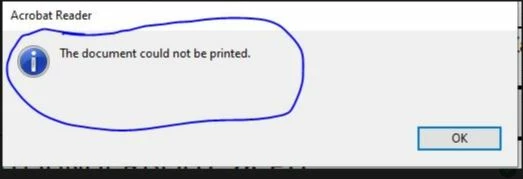
I am using Adobe Reader Version 2021.005.20048. I want to print but i receive  "The document colunt not be printed" error message.Office application no problem. I am using Windows 10 1909 version.

What can I do ?


This topic has been closed for replies.

1 reply

AkanchhaS8194121
Legend
July 30, 2021

Hi Tammer, 

Thanks for sharing the screenshot of the error. 

Try a few troubleshooting steps suggested below and see if that helps you to bypass this error:

1- Update your Printer drives

2- Install the latest patch of Acrobat/Reader DC. Open Reader DC>help>check for update https://www.adobe.com/devnet-docs/acrobatetk/tools/ReleaseNotesDC/index.html

3- Try "Print as Image" under Acrobat Reader DC> Ctrl+p or File>Print>Advanced>Check Print as Image


Thanks,

Akanchha 

tamer5E95Author
Participant
August 6, 2021

Hello ,

Unfortunately not resolved.