m22h
Participant
June 27, 2019
Question

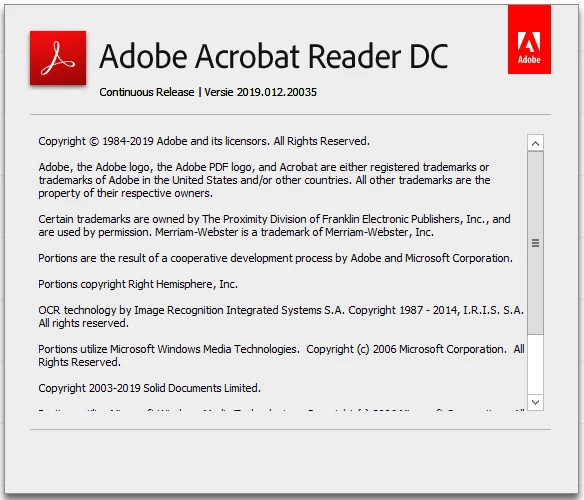
Adobe Reader Version 2019.012.20035 - FastPrint issue Outlook 2016

  • June 27, 2019
  • 1 reply
  • 921 views

Hello,

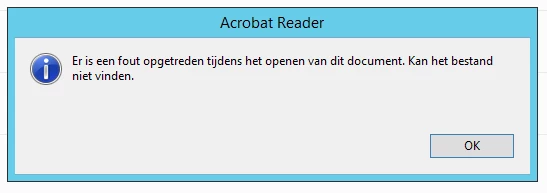
When i select a mail with PDF files in it and hit the fast-print option within Outlook. Adobe Reader Opens and gives my the following warning.

"Er is een fout opgetreden tijdens het openen van dit document. Kan het bestand niet vinden"

Error while opening the document. Can find file.
This topic has been closed for replies.

1 reply

Amal.
Legend
August 12, 2019

Hi m22h,

Apologies for the delay in response, I hope you would be able to fix it by now.

If the problem still persists, as stated above you are not able to fast print the document from the outlook, correct? Is this a behavior when you try to fast print a document from outlook? Are you able to print any other document present locally on your system?

Please try to download the file to your computer and then try to print the file.

You  may also try the following troubleshooting steps:

  • Go to Edit (Windows), Adobe Reader (Mac) > Preferences > Trust Manager > select, allow the opening of non PDF file attachments with external application and under internet access from PDF files Click on Change Settings and select  Allow  PDF files to all websites. Click OK, restart application and check.

If that doesn't work,

  • Try to turn off the protected view and enhanced security. Go to Edit (Windows), Adobe Reader (Mac) > Preferences > Enhanced Security > Turn off the Protected View and uncheck the Enhanced Security. restart the application and check.

Note: Turning OFF the security is for testing purpose only, please turn ON the security after testing irrespective of the result.

If it works after turning off the security you may refer to the help article in the link - Protected Mode troubleshooting | Adobe Reader

You may also refer to a similar discussion - Quick print issues with Acrobat DC and Outlook 2010

Let us know if that works for you

Regards,

Amal