
Participant
February 21, 2018
Question

Adobe reader weird characters

  • February 21, 2018
  • 1 reply
  • 522 views

Hello Adobe Reader guys.

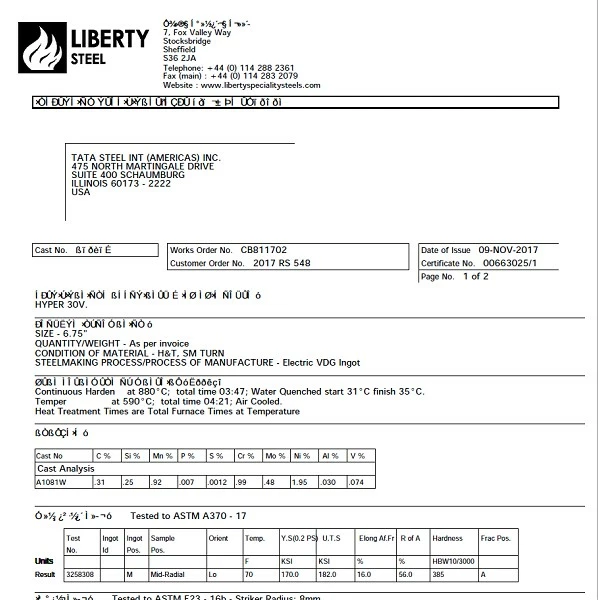
I have a customer and every week or so, the adobe reader starts doing this as seen in the attached picture.

The only way to fix it, is to uuse the adobe cleaner tool, reboot and then reinstall and reboot. It then works.

Any idea on why this keeps happening?

Thanks!

Barry
    This topic has been closed for replies.

    1 reply

    richp3365172
    Participating Frequently
    February 21, 2018

    What version of adobe reader is the user on?

    V18.9.20033 I believe was the version with a known bug regarding arial fonts causing wingdings within pdf's.

    Participant
    February 21, 2018

    Hi Rich.

    The current version (that is working) is: 2018.011.20036

    I'm not entirely certain what the version was that kept

    screwing up. I do know however though that it would of

    been the latest update. If this issue occurs again I will note if Adobe

    reader updated itself or if it is still 2018.011.20036

    Thanks!