
Participant
January 7, 2025
Question

Adobe Standard 2020 and Adobe Professional 2020 hangs on preparing document to print

  • January 7, 2025
  • 4 replies
  • 1010 views

Hi,,


We are having issues with Standard 2020 and Pro 2020. All installations suddenly is unable to print from Adobe itself. All PDF files. Printing via Chrome works fine.  It just shows Preparing document and then hangs. Started Jan 1, 2025.

- uninstalled and reinstalled to no avail

- no updates pending

- all 40 installations having the same issue

- not a printer problem since we are using a print queue and all other programs are working fine. 
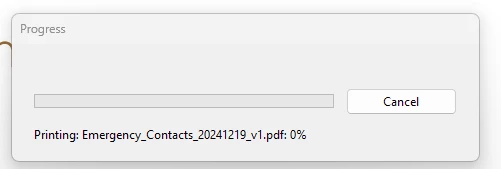
 

Been trying to get help from support but Adobe Tech team seems to unable to even comprehend or understand the problem. Anyone else having this issue?

4 replies

Participant
July 2, 2025

I'm also having the same issue. Any updates? Adobe support is sending me in circles, not really helping. 

creative explorer
Community Expert
Community Expert
July 2, 2025

@kyree_7163 I don't seem to have that issue as I am using Creative Cloud, which means I no longer using the older 2020 version. Adobe has officially extended the End of Support for Acrobat 2020 (Pro and Standard) until November 30, 2025. While perpetual licenses should work indefinitely, "End of Support" means Adobe no longer guarantees compatibility with new operating system versions (like Windows 11 updates), new printer drivers, or even new security protocols that might be introduced. They also stop providing regular bug fixes or feature updates. Windows 11 receives continuous updates. A specific Windows 11 update (perhaps one released in late 2024 or early 2025, which would then roll out to your machines) could have introduced a change that conflicts with how Acrobat 2020 handles printing, especially its "Preparing document" stage, which often involves rendering the PDF for the printer driver. While Acrobat 2020 might have worked on Windows 11 previously, ongoing Windows updates can break compatibility with software that isn't actively updated by its vendor.


Have you thought of upgrading to the latest and greatest to get out of this issue?

m
Participant
July 7, 2025

We are set to upgrade at the end of July, trying to make it to that date. This issue happens on Windows 10 and Windows 11 machines, so I'm not sure what changed. 


We have a workaround in place (Open the PDF online and print from there) 

Participant
April 16, 2025

@Sagrika Khandelwal I am also experieing this issue.

the Log ID is ebc75eb3-671b-475f-9c15-b7548235c45a

Adobe Employee
April 16, 2025

Hi @Cherie_Zheng and @shelly_4814,


Sorry for the inconvenience caused to you. 

Can you please share dumps with us for debugging?
Please follow the steps here for collecting dumps:
https://helpx.adobe.com/acrobat/kb/collect-logs-crash-freeze.html


Thanks & Regards

Sagrika Khandelwal

Participant
April 17, 2025

Same issue

Log ID 922d40d3-196e-46eb-8a6b-3d024f6e9627

S_S
Community Manager
Community Manager
May 25, 2025

Hi guys,


Thanks for sharing the log IDs. 


I have forwarded them to the engineering team. 

Please allow me some time to get this checked and circle back to you.


Regards,
Souvik.

Participant
April 14, 2025

having the same issue,  has this been resolved yet??