Question
Adobe XI pro on hi res monitors issue
Hi all. I have a 4k monitor. Some of the menus in Acrobat look like they were written for ants (see screenshot - the options under the stamp tool are unreadable. Any idea how to fix that?
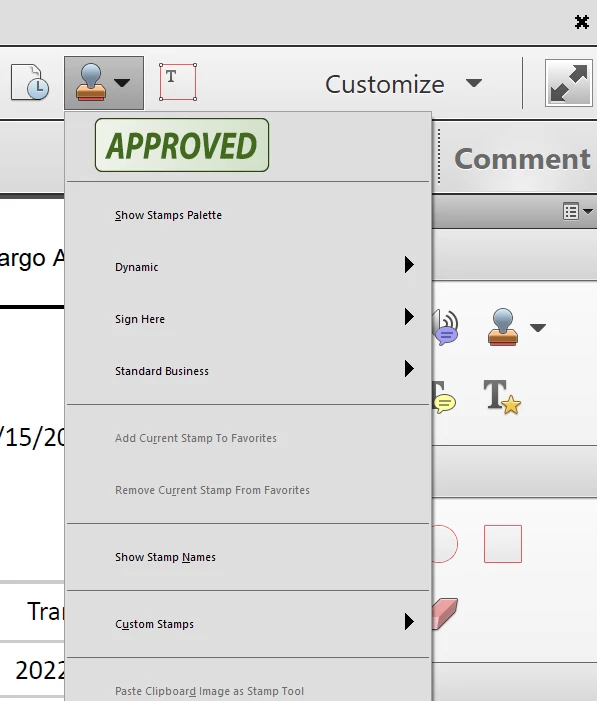

Hi all. I have a 4k monitor. Some of the menus in Acrobat look like they were written for ants (see screenshot - the options under the stamp tool are unreadable. Any idea how to fix that?
Already have an account? Login
Enter your E-mail address. We'll send you an e-mail with instructions to reset your password.


 AdChoices