


Participant
May 21, 2019
Question

Adope Reader DC crasches

Version 19.010.20098 crashes on first click.

Reinstalled yesterday, and had no problems after. But today on first try to print from Outlook 365 I had the problem again.

The message siappdll came first, now the Fatal error.
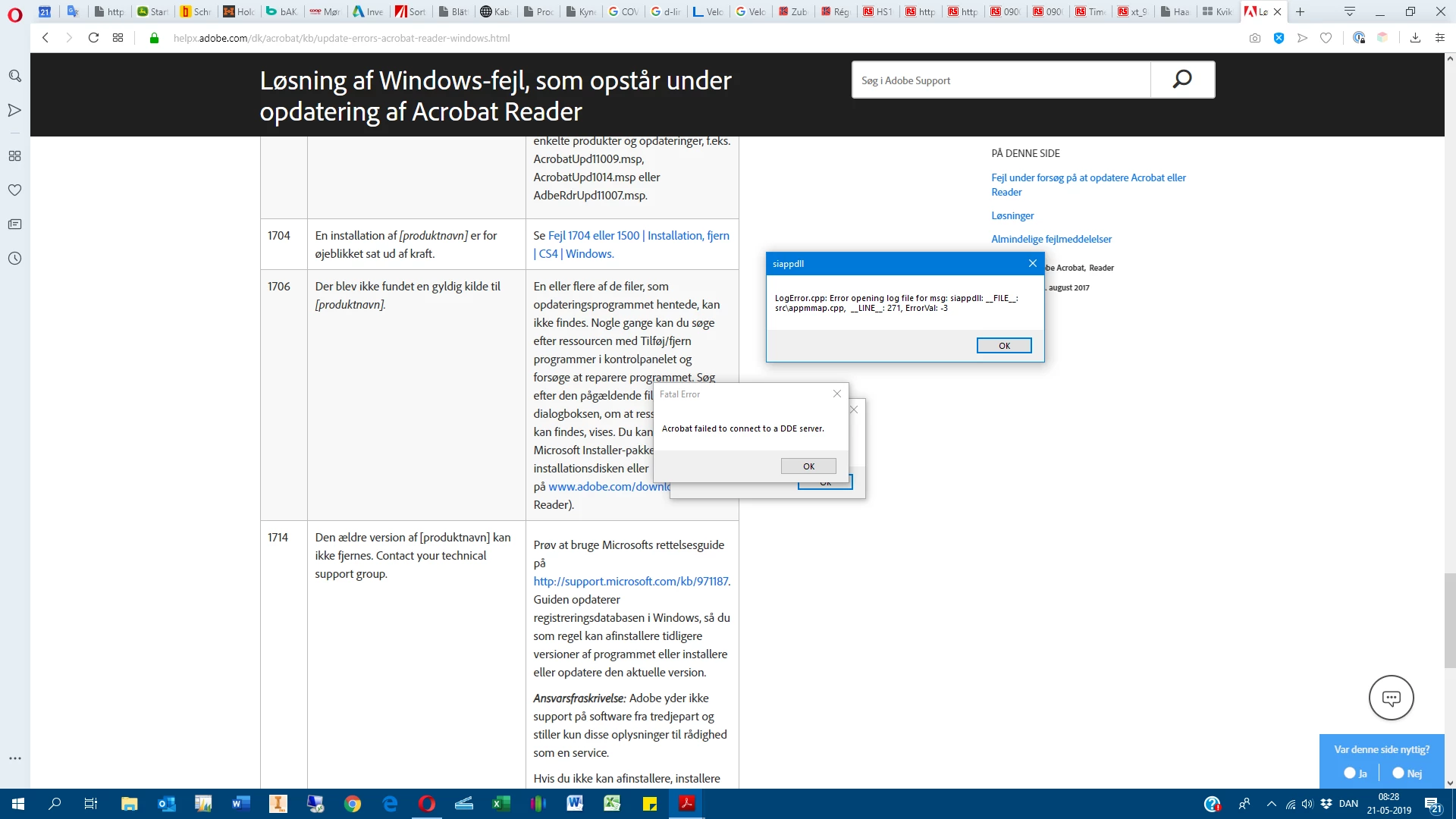
Anybody who has an idea what to do?

Thaks in advance 🙂

Soren

    This topic is closed to new replies. Start a new post to keep the conversation going.

    4 replies

    AkanchhaS8194121
    Legend
    May 21, 2019

    Hey Soren,

    Sorry to hear about the trouble.

    Since you have mentioned that, you did uninstall and reinstall the application yesterday, but it still giving the same error. Have you recently installed any patch for Adobe Reader? Could you please confirm the current version of the application you are working on?

    Open Reader>Help>About Acrobat Reader.

    Meanwhile, you may check the reference thread here: Fatal error - Acrobat failed to connect to a DDE server

    Thanks,

    Akanchha

    Translate
    Soren59Author
    Participant
    May 21, 2019

    Hi Akanchha,

    since I posted the question I succeded in uninstalling Acrobat Reader, after rebooting, as the siappdll will not close down.

    After rebooting again I installed AC again, and it is now up running.

    But this is like yesterday, so I think I will have to do something more, not to have the same problem tomorrow.

    I have not installed any patch, or something else that I know of.

    Continuous Release | Version 2019.008.20071

    Version File Version: 19.008.20071.41678

    AGM-version 4.030.00080

    CoolType-version 5.014.00035

    Kerneversion 19.2048

    JP2K version 1.002.00002.41572

    Concerning the Fatal error, the value is already AcroViewR19

    For your info my system is Windows 10 - 64, I expirience the problem when trying to print the very first pdf opened in Outlook 365.

    Thanks!

    Translate
    Soren59Author
    Participant
    May 25, 2019

    Same problem.

    Updated this morning to 19.010.20098:

    Stopped working, got the siappdll message, and no other response. Not able to open and see new versions etc.

    Reboot, uninstall, reboot install, same details as above, now everything OK.

    Problem must be connected to the update.

    B.r. Soren

    Translate