
Participant
May 23, 2023
Question

All tools not available in Acrobat Reader with new version

  • May 23, 2023
  • 3 replies
  • 1491 views

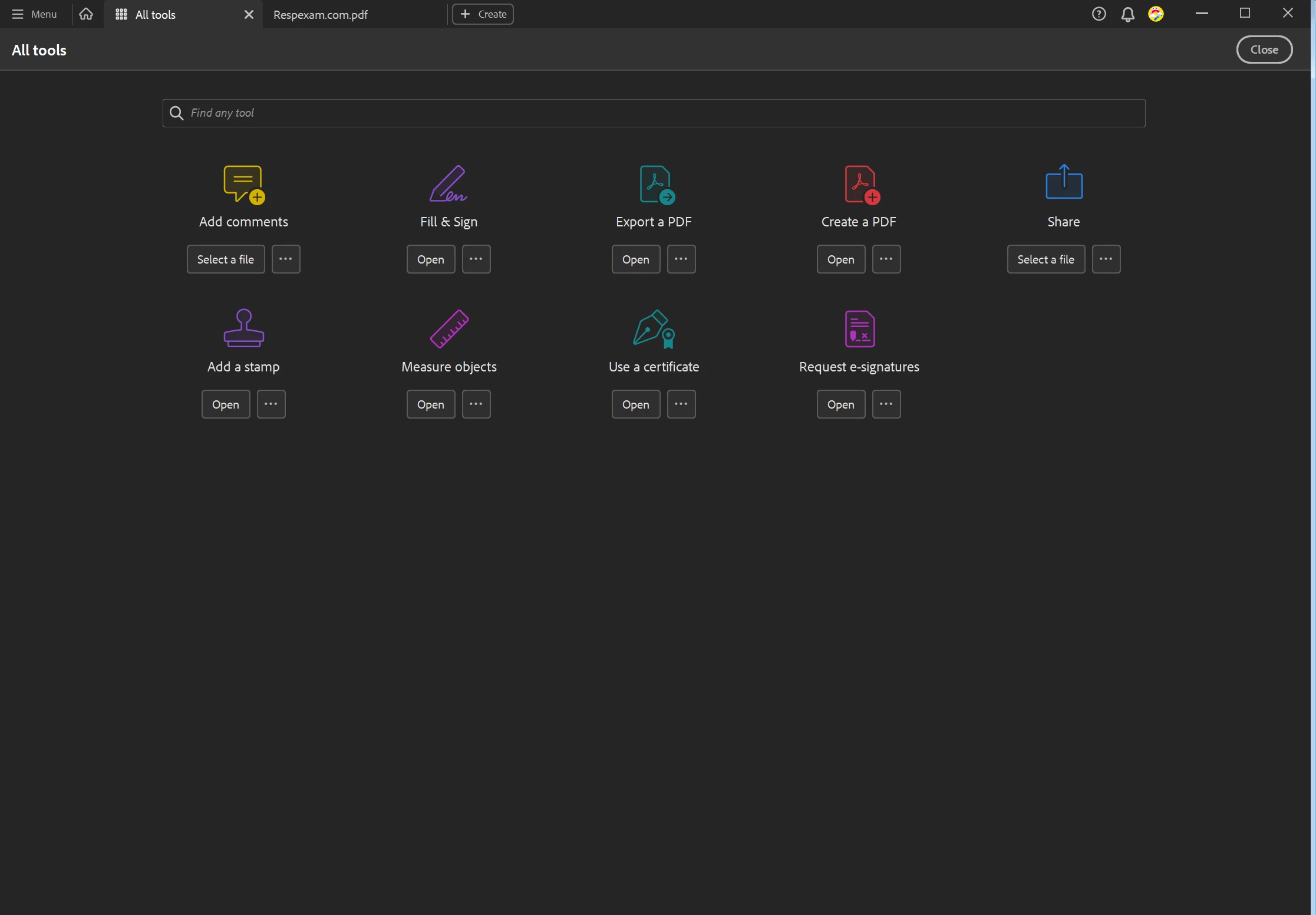
I recently got a new work computer and of course downloaded Reader as I had in the past. I have a pro subscription and all the tools were available on the previous version I had. I no longer have extract, organize or combine in my tools area. I realize this is an option on the webpage, but I prefer the regular reader as I do more work there. Am I missing something? Do I need to download a different program? I've  attached a screenshot of the tools in my current reader.
This topic has been closed for replies.

3 replies

Legend
May 24, 2023

If you have a subscription, you should download Acrobat, not the free Reader. It's supposed to magically upgrade itself, but this doesn't always seem to work.

Participant
May 24, 2023

Is there a specific link for that, because the only downloads I find are creative cloud and the free reader. The online option is just too cumbersome for every day use if I'm being honest. 

JR Boulay
Community Expert
Community Expert
May 24, 2023

[MOVED TO THE ACROBAT READER DISCUSSIONS]

Acrobate du PDF, InDesigner et Photoshopographe
Document Geek
Community Expert
Community Expert
May 23, 2023

Are you using the same login that you previously used? Personally, on the past I've mistakenly had two different Adobe IDs. You'll need to login to Acrobat using the one that's tied to your paid subscription.


Just a thought... not saying that's what is happening here. But this would be the first thing to check.

Participant
May 23, 2023

Yes same login that has the subscription and I used on my previous computer. I even tried the remove new version of reader in the setting and that didn't work.