
Question
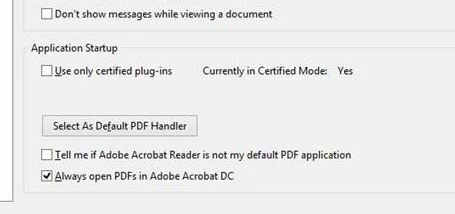
"Always Open PDF's in adobe Acrobat DC" not retained after logout and back in.
I have the exact issue listed here:
/t5/acrobat-reader/adobe-documents-opening-in-adobe-pro-not-reader-default-program/
when this tickbox is enabled every PDF that is opened results in the login page for Adobe DC opening. without login details for DC our users are uanble to open any PDF
The solution is to Untick the box: Always open PDF's in Adobe Acrobat DC.
This allows the user to open PDF's in the reader. Until next logon when the tick box is re-enabled.
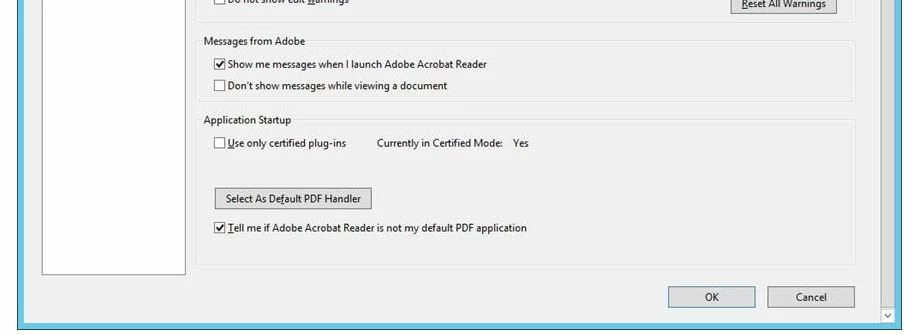
It appears that only standard users see this tickbox, admin (domain & local) enabled accounts on our RDS servers do not see it.
Users view with tick box and admin view without tick box:
- Is there a way to default de-select that tick box?
- Is there a reg key relating to this tickbox? if so where is it and what are it's values.
- does this get written to the users C:\Users\%USERNAME%\appdata\*** folders at all? if so where and what are the values
- Why do admin accounts not see this tickbox
- Can this be done centrally for all users rather than on a user per use basis. (large number of RDS users affected)
Many thanks for any input you may have.


 AdChoices