Participant
Dec 4, 2019 8:20 AM UTC
Answered

Barcode lines/stroke unclear in Acrobat Reader

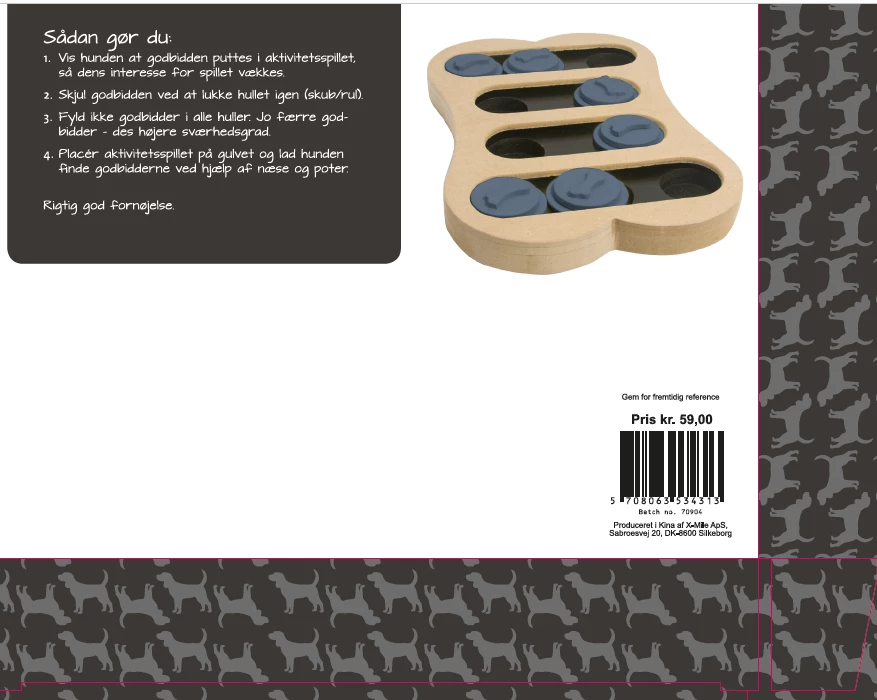
When viewing pdf file for print on Split PC screens - the barcode lines are all smooshy and unclear when viewed in 100%. The barcode is generated as a pattern in InDesign and in Acrobat converted to outline. This issue is only a problem found at our PC users and not MAC users in the firm.
Please see attached screenshots:

1.Close-up view of barcode

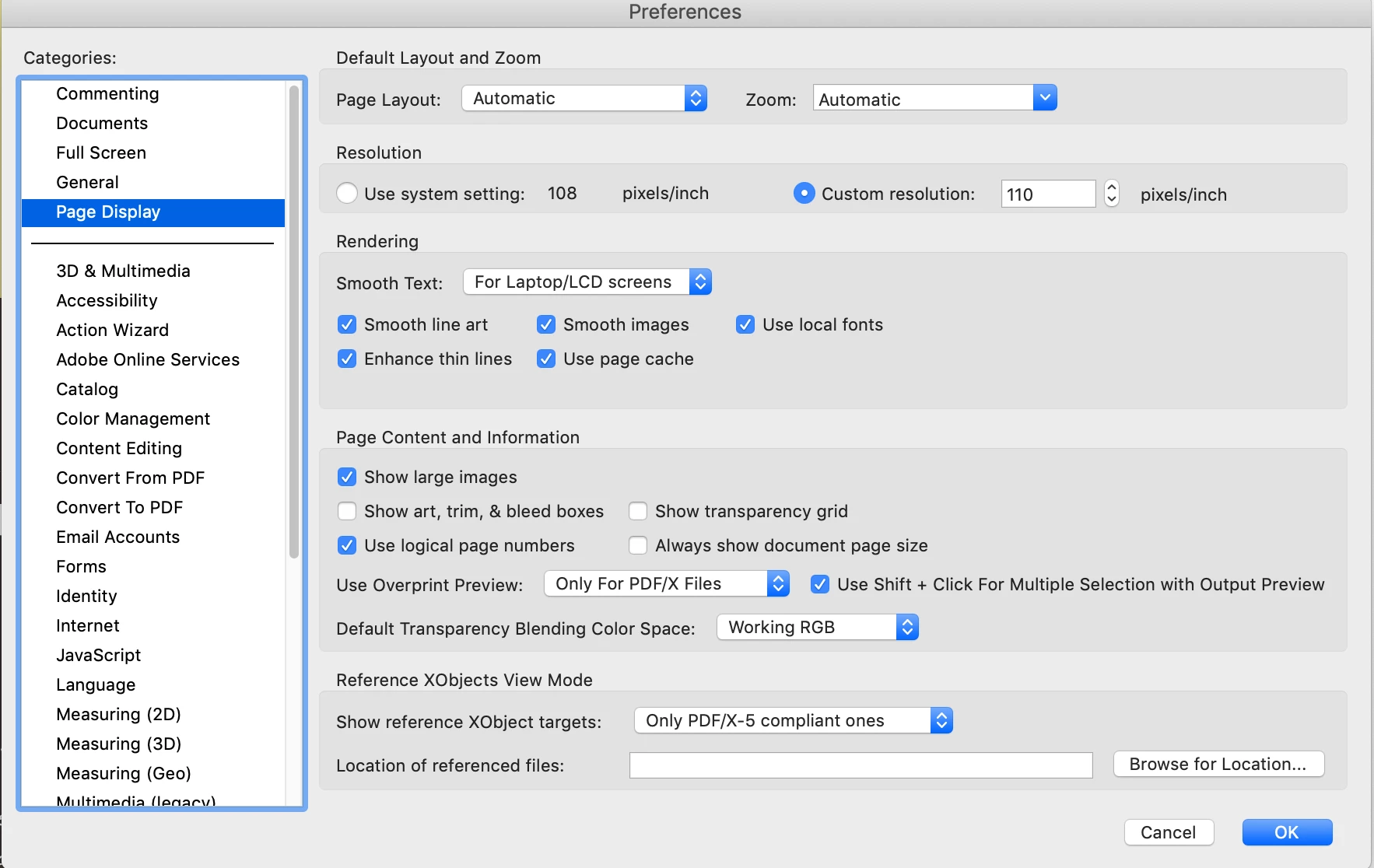
2.100% view of pdf file

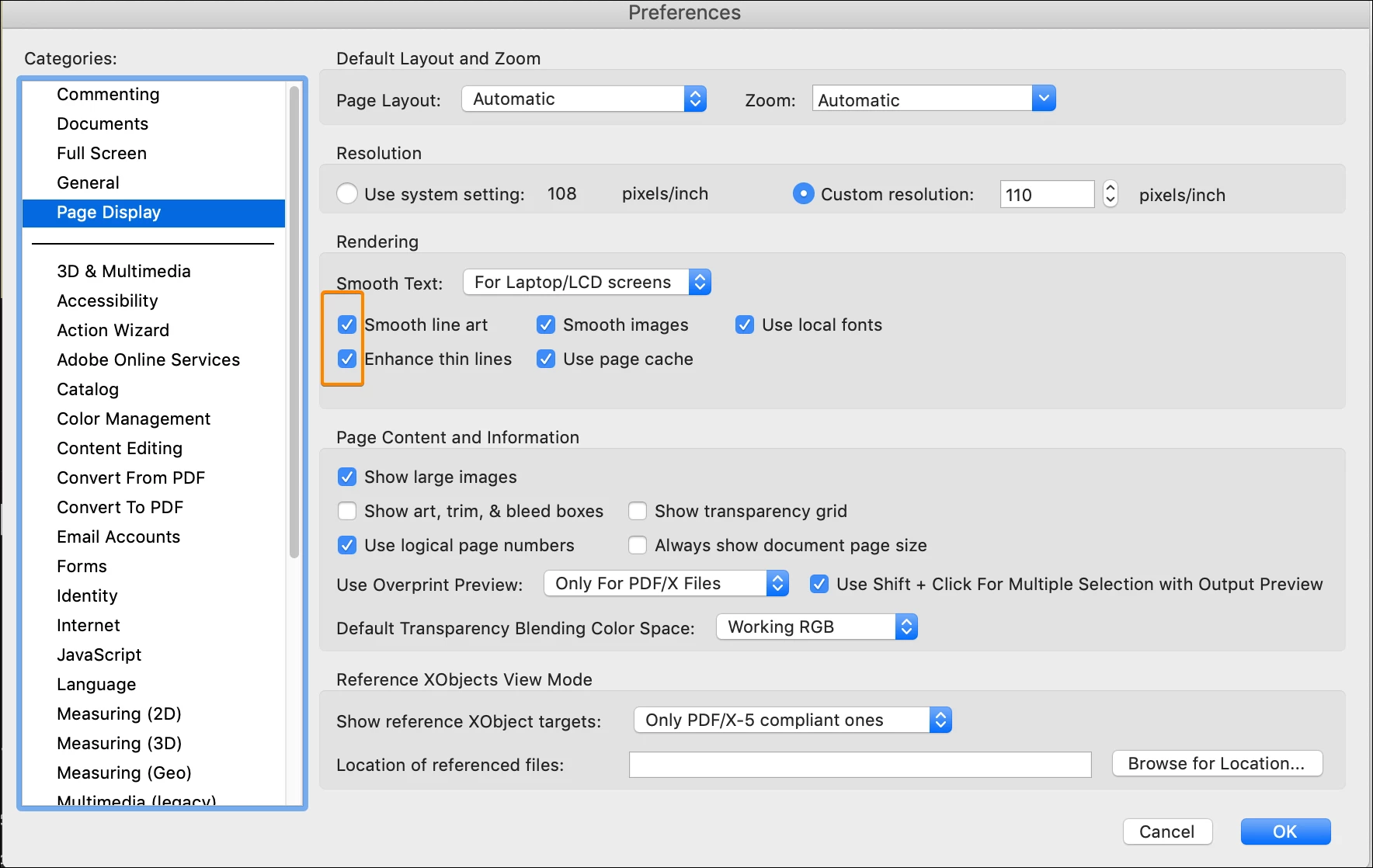
3.Acrobat Reader Preference

This topic is closed to new replies. Start a new post to keep the conversation going.
JR Boulay
JR BoulayCorrect answer
Community Expert
Jul 14, 2021 9:30 AM UTC

You must untick one of these two settings, or may be both.


Acrobate du PDF, InDesigner et Photoshopographe

9 replies

JR Boulay
Community Expert
Community Expert
Jul 14, 2021 9:31 AM UTC

MOVED TO THE ACROBAT READER FORUM

Translate
Acrobate du PDF, InDesigner et Photoshopographe
JR Boulay
Community Expert
JR BoulayCommunity ExpertCorrect answer
Community Expert
Jul 14, 2021 9:30 AM UTC

You must untick one of these two settings, or may be both.


Translate
Acrobate du PDF, InDesigner et Photoshopographe
gwynneb74659208
Participant
Jul 14, 2021 3:22 PM UTC

Thanks!

Translate
Eric Dumas
Community Expert
Community Expert
Dec 4, 2019 10:26 AM UTC

Hi,

can you confirm the version of your software and describe what you mean by [...generated as a pattern in InDesign...]

I use fonts to create barcodes, so it remains clear and sharp (like text).

Is it generated by a plugin? What might happen is that the barcode is treated like an image and does not display well.

When printed, does it look as needed?

Translate
Participant
Dec 4, 2019 10:47 AM UTC

Hi Eric

Thanks for your fast reply.

Acrobat Reader is up todate. See attached picture.

I generate the barcode with a plugin in InDesign.

When viewing the pdf file on my MAC / Acrobat Pro DC it looks just fine - but when viewing the file on PC / Acrobat Reader the barcode lookes blurry. It must be some setting in Acrobat that needs to be adjustede - don't you think so?

The question is where and what...


I have attached :

screenshot from MAC - 100% view

screenshot from PC - 100%

Acrobat Reader version

Translate