
Participating Frequently
June 18, 2025
Question

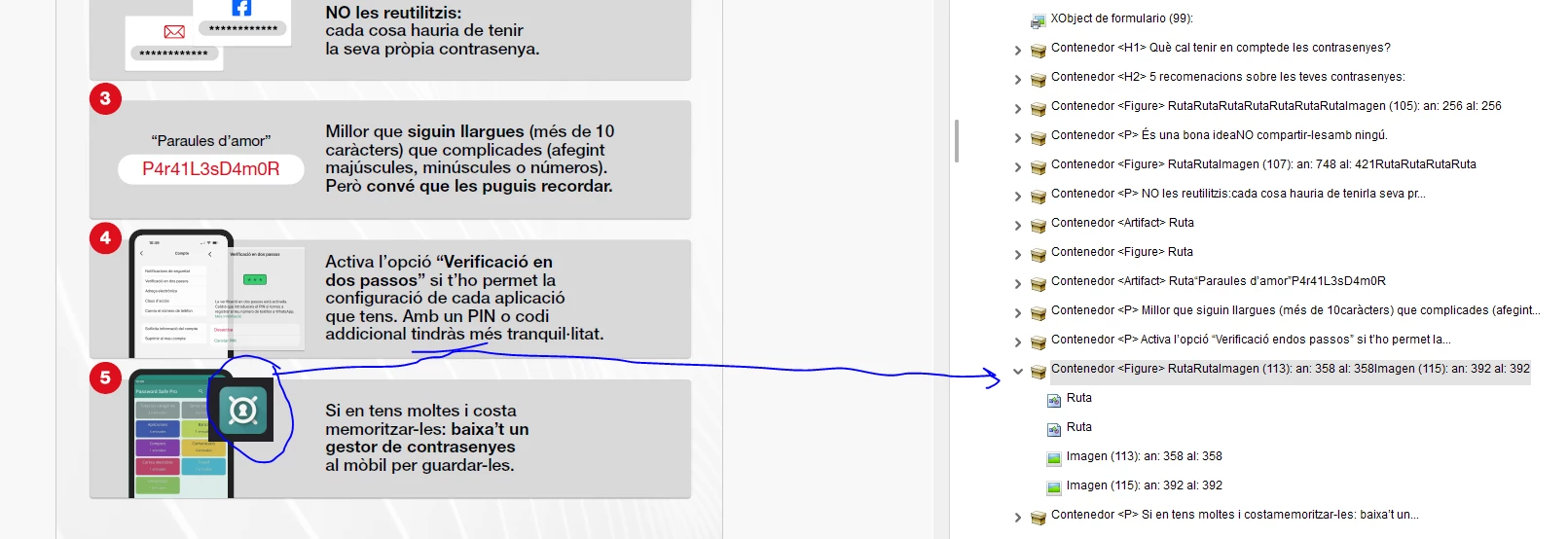
Big black border appears to an element after reading order and tagging is applied

  • June 18, 2025
  • 1 reply
  • 771 views

Hi,


Anybody knows how to get rid of this black sorrounding border that is not suposed to be?


I've been looking to the content panel and moving what seems to be the route of this element but happens nothing... It's really a nightmare when docs are not from the origin made accessible. Acrobat PDF can do little without surprises and investing hours to find solution!


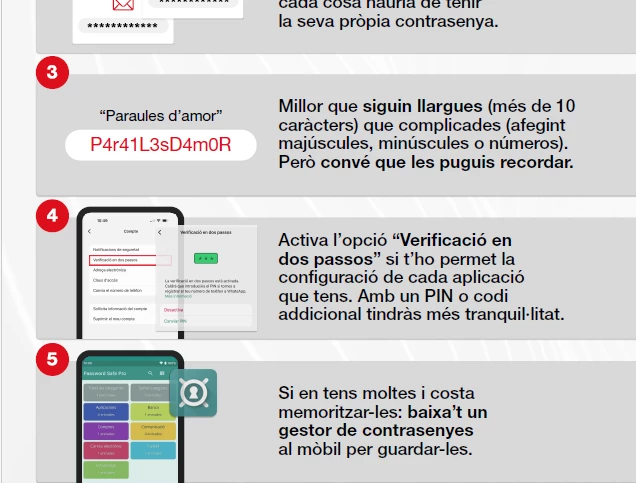
Here I attach screenshot, and a screenshot of the original bleow...


Thanks a lot,

Oli

After making it accessible

Original
 

1 reply

Participating Frequently
June 18, 2025

I must add that I have found many little troubles not expected during the journey of making accessible a not accessible design... But this one seems hard to me

Souvik Sadhu
Community Manager
Community Manager
June 18, 2025

Hi @oliver_1619,


Hope you are doing well. Thanks for writing in!


Let's understand why you see the visual boxes when using the Reading Order Tool:

Acrobat shows visual markers such as:

  • Thick black borders for containers (like <P>, <Figure>, <Table>)

  • Grey boxes or labels for role types (e.g., "Text", "Figure", "Heading 1")

These borders are only visible while editing or in certain tools. They are not errors or permanent changes.


To remove the visual boxes, you can switch to any other tool, and they would disappear.


Let me know if this is not the case, and please share a screen recording of the event, along with a sample file to test the issue in-house for further investigation.


Look forward to hearing from you.


Regards,
Souvik.

Participating Frequently
June 19, 2025

Thanks for youw answer Souvik,


This is not the case. I spent hours with this document and of course I would have notice if switching tool it disappears. It shows in the final PDF and I don't know how to remove it.


I attach 2 files, the original one and the accessible, for further investigation 🙂


Kind regards,

Oliver