Participant
March 12, 2023
Question

Blue background

  • March 12, 2023
  • 3 replies
  • 11281 views

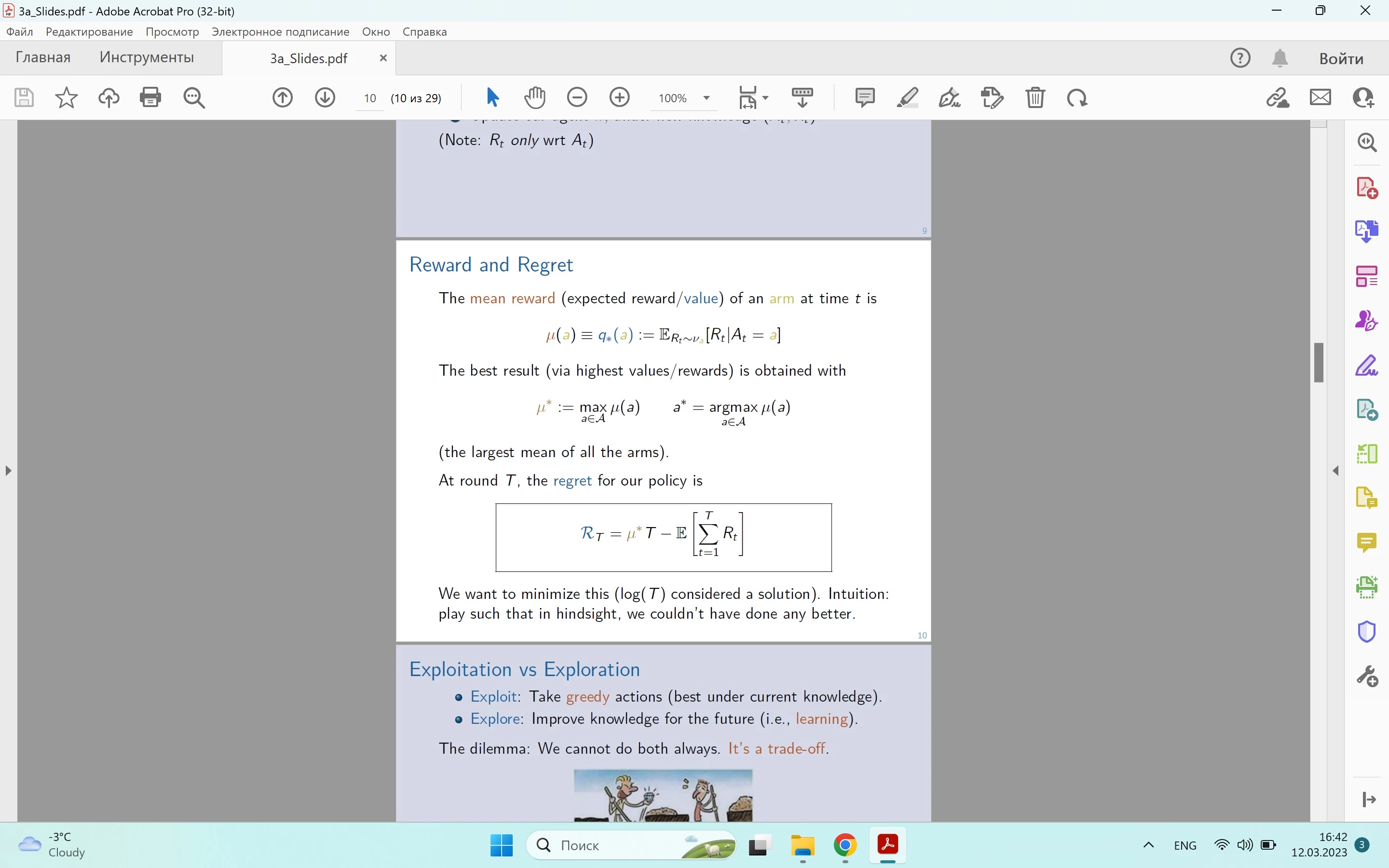
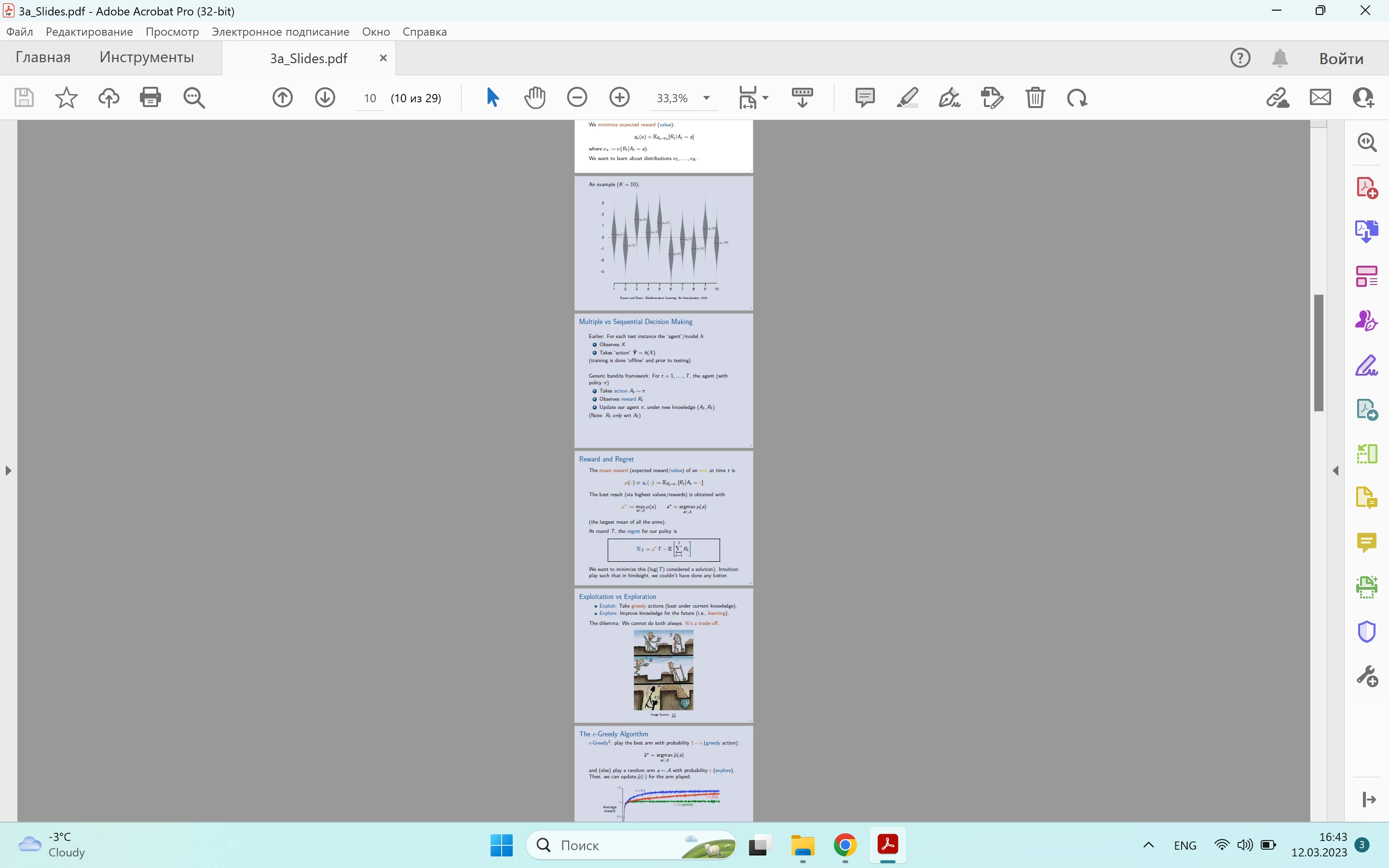
Hey! When i open a pdf document in adobe acrobat, some pages are showing with blue background instead of white. And sometimes the color of backround changes with the scale (for example, if I zoom in, white backround could become blue and vice versa). This makes it essentially impossible to work in Adobe Acrobat Pro. 


How can I fix it?

Thanks in advance

3 replies

Participant
April 16, 2024

Same problem

Participant
August 24, 2024

Check my above reply. Just in case of it solved your issue.


Tested on multiple PDF and all are working as intended...

Participant
March 25, 2024

Did you ever get this figured out? I've been having this issue and it only affected some PDFs but not all, and when it did affect my PDF it was the whole thing, not just specific pages. I narrowed it down after clean installing, etc. to no avail to having HDR settings turned on. Turned those off and magically fixed. And it's not just a "this looks blue on my screen because of HDR" but it would print with that blue tint, too.

Participant
August 24, 2024

Probleme solved... without doing anythning real...


Open the PDF, blue background indeed.

Go to Accessibility as mentioned above. CHECK everything.

Then go to Display, change type of monitor like "monitor" (mine was laptop... don't see why...) uncheck everything.
OK.

Return to options and inverte everything you just did (no accessibility and activate all Rendering option except you choose the righ type of monitor).
OK.


Problem solved, but still don't know why...

AkanchhaS8194121
Legend
March 13, 2023

Hi @default9kl21dfn8php 


Thanks for reporting this to us.

Looking at the description given above, it seems a couple of pages are changing color, and the rest stay with white background. Is that correct?

1- Have you checked with any other files? Is it a file-specific issue?

2- First, set the page size to Fit Width and see if all the pages turn blue

3- Navigate to Acrobat>Edit>Preferences(Ctrl+k)> Accessibilty> Replace Document Colors; what is the page background showing here?


Also, please ensure that you have Acrobat's latest update installed 

Go to Acrobat> Help > Check for updates and reboot the computer once (you must save all the work before restarting)

To download the patch manually, more information about this release is here: Release Notes | Adobe Acrobat, Reader


Thanks,

Akanchha 

Participant
March 14, 2023

Hi Akanchha,

Thank you for the answer.

1) I have checked with other files - it is like that with all of them. It is not a file-specific issue.

2) No, some pages are still white.

3) Tha page background showing here is white. Although I tried to change it to different colors and back to white, and sometimes some of the pages do not change their background back to white as you can see here:


I've ensured I have the latest update installed.


Thank you for your further help.

AkanchhaS8194121
Legend
March 14, 2023

Thank you for trying the suggested steps.

Would it be possible for you to share a sample file with us? We want to test the same on our end. And do let us know the exact version of Acrobat Pro you are running.


~Akanchha