Inspiring
May 27, 2019
Answered

blurry images

  • May 27, 2019
  • 5 replies
  • 3993 views

Hello .I  have  two  issues  with  reader.I  use  geogebra  and  math  type  for  creating  graphs  and  equations.

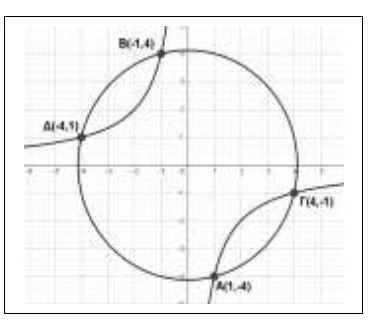
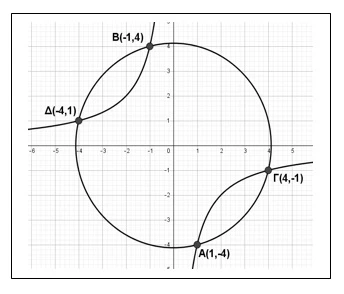
1)I  take  a  screenshot of  graph  that  is  created  with  geogebra using  Prt sc  key  and  attach  the  screenshot  at  word  doc.It  appears  clearly.When  convert  doc  to  pdf  appears  blurry.What  is  going  wrong?Can  i  fix  it   via  adobe  reader  or  i  need   a  more  advanced  software  like  acrobat  pro?

2)Also  when  insert  an  equation  from  math  type  and  convert  also   to  pdf  some  symbols  or  letters  appears  thiclky.
    This topic has been closed for replies.
    Correct answer Test Screen Name

    How exactly do you make the PDF, and what settings do you use? What the image shows is that JPEG low quality compression has been used to make the PDF.

    5 replies

    Inspiring
    June 14, 2019

    i  find  it.i  check  box  ''don't  compress  images''  at  word's  settings.thank  you

    Legend
    June 14, 2019

    Yes, this is part of Word. It makes the PDF. You need to find why it is making a blurry PDF. You are not using any Adobe software to make the PDF, so try a Microsoft forum. Or look at quality settings for making the PDF in Word - the default is to make a small file, not a high quality one.

    Inspiring
    June 14, 2019

    I  choose  from  word  to  ''save  as..  option''

    try67
    Community Expert
    Community Expert
    May 27, 2019

    Reader is not involved in creating the files. You're using an internal command of Word.

    Test Screen NameCorrect answer
    Legend
    May 27, 2019

    How exactly do you make the PDF, and what settings do you use? What the image shows is that JPEG low quality compression has been used to make the PDF.