This topic has been closed for replies.

2 replies

Legend
October 24, 2017
AnandSri
Legend
October 24, 2017

Hello Aнтонб,

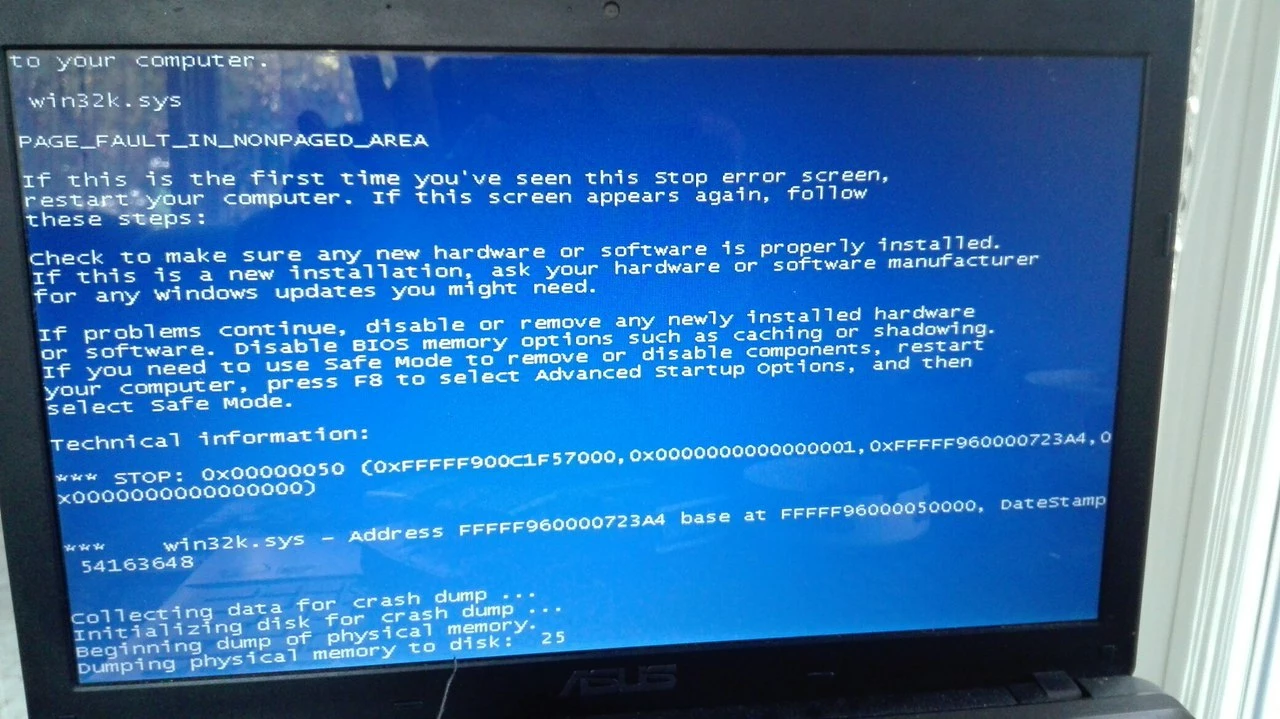
We apologize for the trouble you had with Adobe Reader, as per the description I can understand that you are getting a BSOD when you try to open a PDF file in Adobe Reader DC, Is that correct?

The error seems to be an Operating system issue, as the operating system is not able to manage the Memory or due to any faulty Drivers.

You can check for any pending updates of the operating system and install them from Control Panel>Windows Update and  install all the Mandatory and optional updates of Operating system.

If the issue still persists, you may have to contact the Operating system support i.e. Microsoft.

If you want, you can uninstall the Reader using the Acrobat Cleaner tool, download the cleaner tool from Download Adobe Reader and Acrobat Cleaner Tool - Adobe Labs  Link: http://labs.adobe.com/downloads/acrobatcleaner.html

Restart the computer, and install the Reader from Adobe - Adobe Acrobat Reader DC Distribution  Link: https://get.adobe.com/reader/enterprise/

Hope this helps, and keep us posted with the results.

Regards,

Anand Sri.