
Bug: matplotlib saved images are not displayed properly in Acrobat Reader
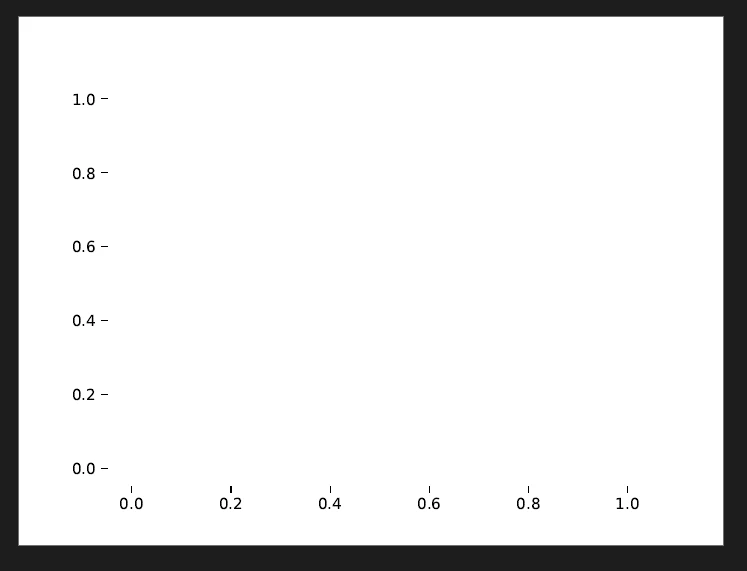
This is a bug about displaying images generated using matplotlib in Python. In a very specific scenario, where the linewidth is 0, linestyle is not solid and marker is not None, the saved images are not displayed properly in Acrobat Reader. Sometimes, there will also be a message pop-up saying "An error exists on this page. Acrobat may not display the page correctly. Please contact the person who created the PDF document to correct the problem". After changing the linewidth from 0 to some finite number and changing linestyle from "dashed" to "none", the problem is gone.
Since the images are displayed properly in Chrome or Edge, I suspect that this is a problem of Acrobat reader. The reason this occurs could be because Acrobat reader is trying to display lines that are infinitely thin and something goes wrong when doing calculation of the spacing of the dashes on the line.
To reproduce the bug, run the following code in Python.
import matplotlib.pyplot as plt
plt.plot([0, 1], lw=0, ls="dashed", marker="o")
plt.savefig("image.pdf")
I am using Windows 10, python 3.9.10, matplotlib 3.5.1, Adobe Acrobat Reader 2024.002.20759. I also tested this on macOS Sonoma 14.4.1, python 3.9.18, matplotlib 3.5.1, Adobe Acrobat Reader 2024.002.20687 and get the same result.
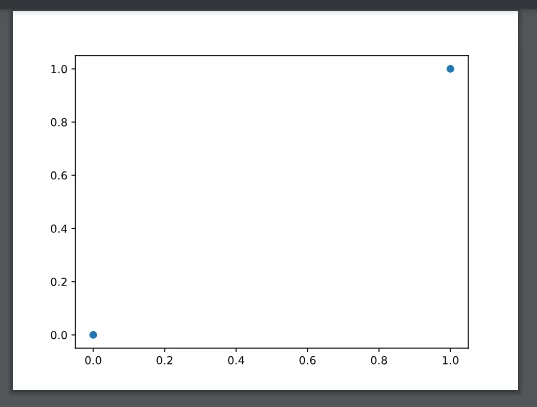
Expected result (screenshot taken from Chrome):
Observed result (screenshot taken from Acrobat):
This is a very minor bug, though.


 AdChoices