


Can't install Acrobat MIP plugin on Windows 11 (22000.xx)
As the title says, I can't successfully install Acrobat MIP plugin on Windows 11 (22000.xx). No problems on Windows 10.
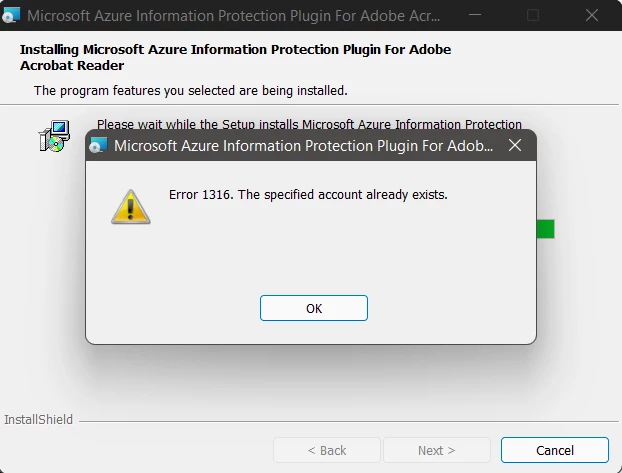
Details snipped from my Reddit post from yesterday.
#############################################
I can't seem to get the Adobe Acrobat Reader DC Microsoft Azure Information Protection (MIP or AIP for short) plugin to install on Windows 11 22000.194.
I got the latest version of Adobe Acrobat Reader DC MUI installed (v2021.007.20091, https://get.adobe.com/reader/enterprise/), and (if relevant) latest version of the AIP client (v2.12.62, https://www.microsoft.com/en-us/download/details.aspx?id=53018).
But the Adobe MIP plugin (https://helpx.adobe.com/acrobat/kb/mip-plugin-download.html) I can't get to install. Neither regularely as user with admin permissions, or silently with /i "<filename>.msi" /qn /norestart. Installer fails with 1316 something about "account already exist".
Am I goofing, or is the Adobe MIP plugin not working with Windows 11?


 AdChoices