Participant
March 30, 2017
Answered

Can't open PDF's

  • March 30, 2017
  • 2 replies
  • 1202 views

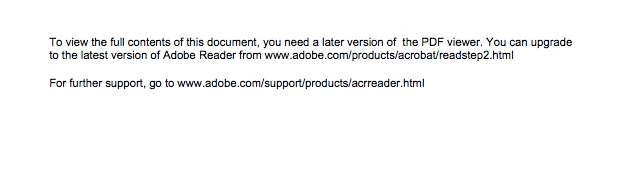
When I try to open documents, I get this message.
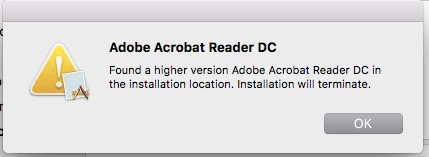
When I try to install, I get this one.
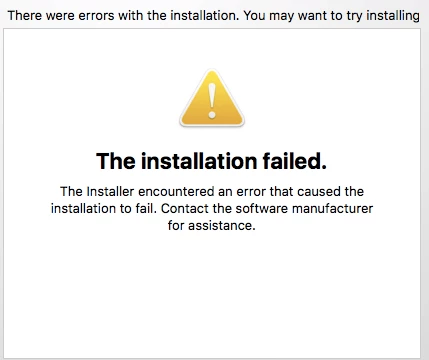
And eventually ...
How to open these documents?

    This topic has been closed for replies.
    Correct answer ~graffiti

    Ok. Keep in mind the 64bit version of Firefox will not work either. If you get this message in Safari, you will need to set up the Reader plug-in. Here is info on that: Configure browser to use the Adobe PDF plug-in to open online PDF files

    2 replies

    willd46547346
    Participant
    June 1, 2017

    I recently installed Adobe Acrobat Reader DC on my mac to create a word doc from a pdf.  Since then, I've been unable to open any pdf files (even ones I opened previously with out any trouble).  I would receive an error message that indicated I didn't have permission to open the file.

    Simple solution: Remove ARDC as the default reader! That was $28 well spent!

    ~graffiti
    Legend
    March 30, 2017

    What browser do you use?

    Many browsers have their own pdf viewers now and are not compatible with the Adobe Reader plug-in. You may have to right-click the link to the pdf, choose to save it to your computer then use File>Open from within Reader to open it.

    Participant
    March 30, 2017

    I've been using Chrome. I'll give Firefox and Safari a try.

    ~graffiti
    ~graffitiCorrect answer
    Legend
    March 31, 2017

    Ok. Keep in mind the 64bit version of Firefox will not work either. If you get this message in Safari, you will need to set up the Reader plug-in. Here is info on that: Configure browser to use the Adobe PDF plug-in to open online PDF files