
Question
Can't sign Canadian Immigration IRCC form IMM 5532 E
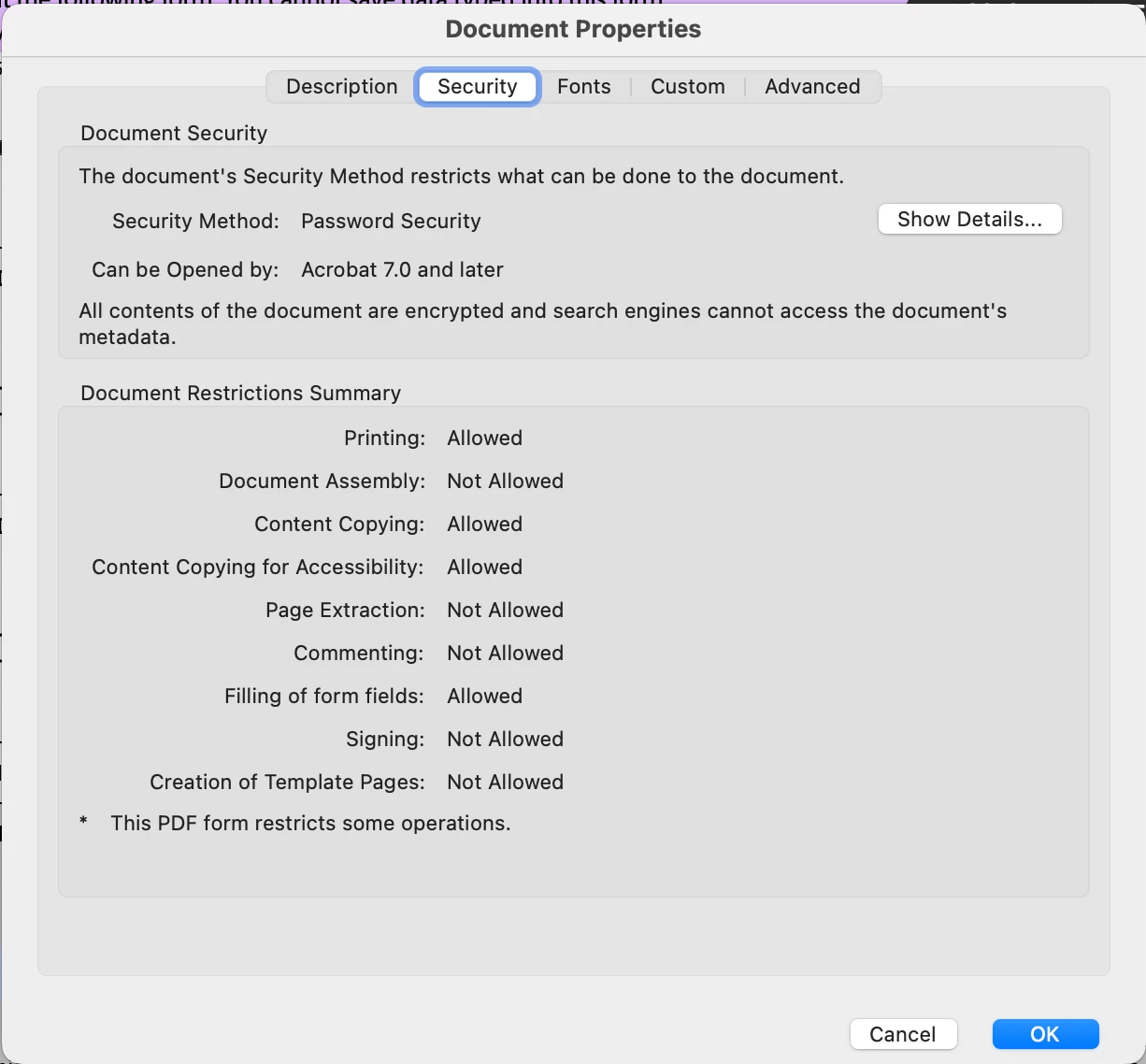
The Canadian permanent residence application specifies that this form has to be digitally filled in and signed. It also states you may not print, fill out or sign and scan the document. However, the only highlighted fields are the ones that can be filled, and the signature box is not highlighted. Additionally when looking at security settings, under "Signing" it lists "not allowed." The Application instructions indicate that you may need to "print as PDF" to save as a new PDF file before you can sign, but neither Reader nor Acrobat Pro allows this! HELP, this is my last step for my application, and I just can't finish this form! However in my 2022 application I WAS able to do so!


 AdChoices