
Participant
July 26, 2023
Question

Cannot extract the embedded font 'Cambria-Bold'

  • July 26, 2023
  • 1 reply
  • 2300 views

Hello!

I have a simple document text.docx created in the Word 2019, with two fonts - Cambria and Cambria Bold. I've saved it into PDF (File->Save As .pdf): text.pdf.

When I open it in the Adobe Reader (currently, I'm using the latest version 2023.003.20244), and then click View->Tools->Comments->Open I get the error:
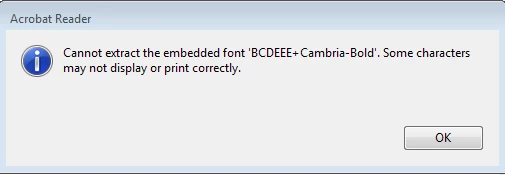
Sometimes (3 attempts from 10) this error isn't shown.

Note: to see the error again, you need to close the PDF and exit from the Adobe Reader.


Why does this error occur?


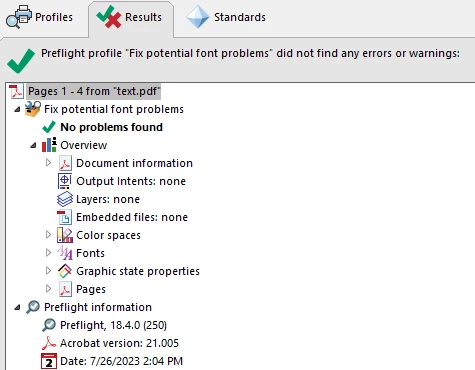
Adobe Acrobat Preflight checking doesn't find any issues with fonts:
 

This topic has been closed for replies.

1 reply

S_S
Community Manager
Community Manager
July 31, 2023

Hi @alexander.dyuzhev,


Hope you are doing well. Thank you for writing in!


I tried the same workflow you mentioned with the same number of tries but could not reproduce the issue.

The file you shared worked fine too.


Would you mind sharing a screenshot of your settings when saving the file as a PDF? When naming the file, click on options and share the screenshot with me here for better understanding and further assistance.


Look forward to hearing from you.


-Souvik

Participant
July 31, 2023

Hi @S. S ,

thanks for your reply.

My settings:


Just for information, I use 32-bit version of Adobe Reader.

If you need more information, please tell me.

S_S
Community Manager
Community Manager
July 31, 2023

Hi @alexander.dyuzhev,


Thanks for sharing the details.


Please try unchecking the option "Bitmap Text when fonts may not be embedded" and then create the PDF.


Let us know if that helps.


-Souvik