

sasukechinchilla
Participant
May 20, 2026
Question

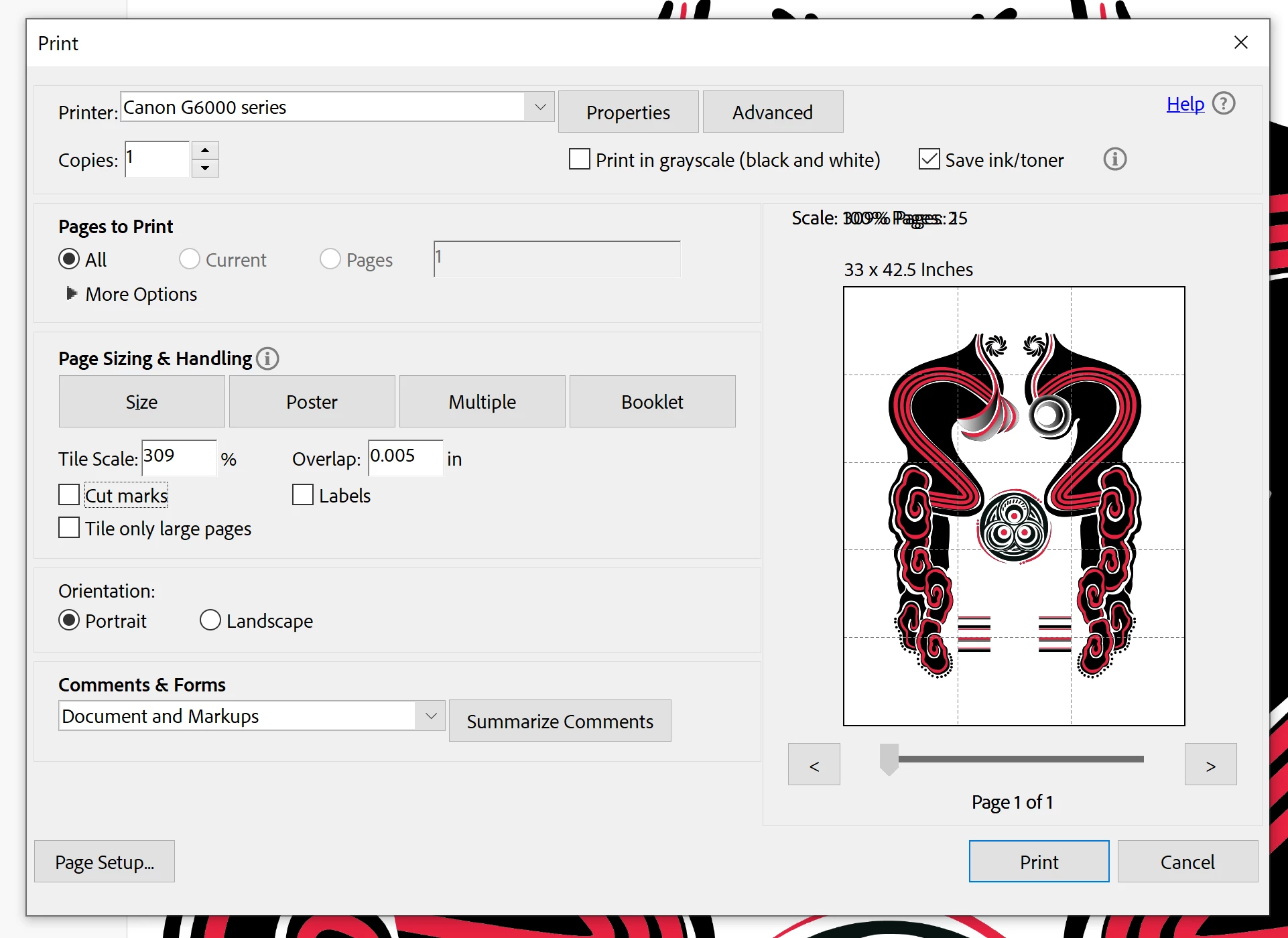
Cannot select specific pages to print in poster mode

  • May 20, 2026
  • 1 reply
  • 5 views

I was printing using Adobe Acrobat’s “Poster” mode when my print was interrupted and canceled. I cannot recover from where it was and only have enough paper for the final two pages, but it won’t let me select the final two pages, instead trying to print all 15 again.

Is there any way to choose the pages under “Pages to Print”? I’ve looked through every forum and video and haven’t found an answer.
 

    1 reply

    Amal Jaiswal
    Community Manager
    Community Manager
    May 21, 2026

    Hi there 


    Hope you are doing well and thank you for reaching out. We are sorry for the trouble you are experiencing.


    Is this an issue with a particular PDF file or with all the PDFs? Please try with a different PDF file and check. What is the version of the Acrobat Application and the OS you are using? Go to Help > ABout Acrobat and make sure its updated to the latest version available. Go to Help > check for updates and reboot the computer once.
     

    Also try to repair the installation from the help menu (Win Only) and reboot the device once and check.


    As a workaround, you may try the following:

    1. Go to File > Print
    2. Select Poster under Page Sizing & Handling
    3. Enable Print to File from the Advanced Print Setup
    4. Save the output file
    5. Open the generated file and print only the required pages/tiles


    Let us know how it goes. 


    ~Amal