
Participant
April 7, 2020
질문

"Change Color" option missing from "Fill and Sign" on one PC

  • April 7, 2020
  • 3 답변들
  • 5912 조회

Hi,

My 10 year old son is doing school work from home during the current crisis.
The school has provided PDF's to work off which are black text on white background.
Before upgrading Adobe Reader, while using the "Fill and Sign" option, he could set the font color so that his answers stood out from the questions.
Since upgrading, the "Change Color" option has disappeared from his PC.
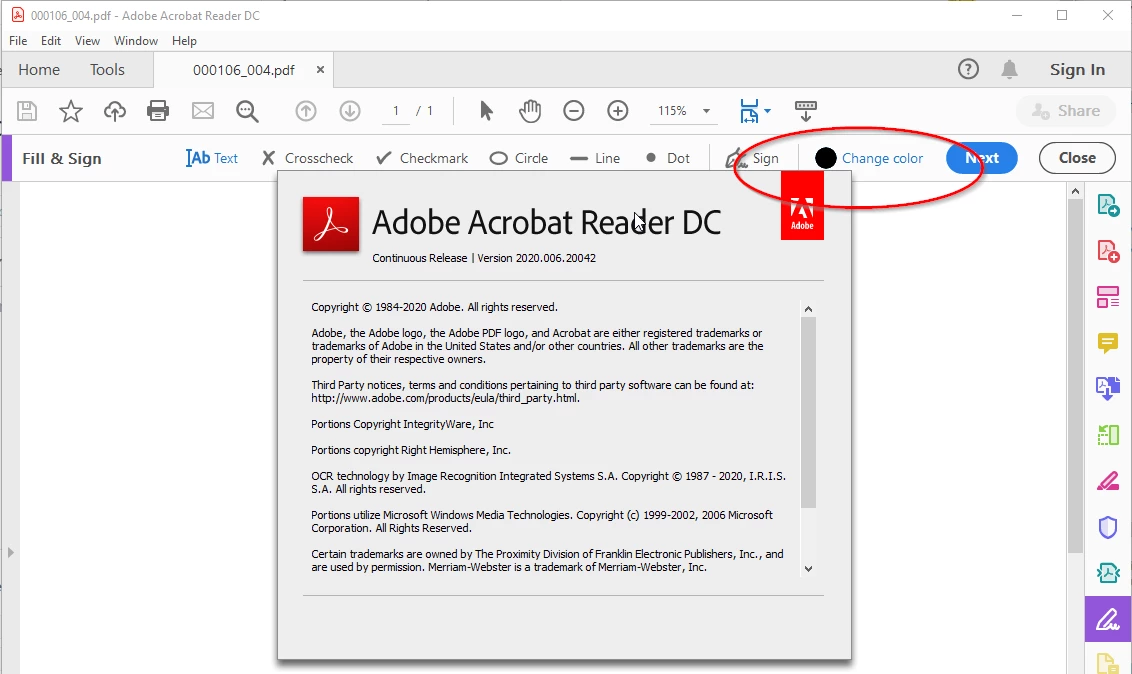
My PC is also running the latest Adobe Reader and still allows me to select the Color when Filling Text (as below).
How do I get this option back on my son's PC?
 

이 주제는 답변이 닫혔습니다.

3 답변

ilguizl
Participant
February 6, 2023

On my Android Acrobat Reader 23.1.0.25718 I even failed to preserve the Unicode block characters 0x2588 (they turned from black/blue to transparent the moment I dropped them on to tgmhe canvas). But I noticed a Comment menu beside the Fill&Sign one, and it has more stable letter writing. The color picker was there, too. My only qualm with Comment is low privacy of my (free) choice of witholding information.


The Fill&Sign menu caused a crash when I long-pressed my input. So much for a text editor.

Participant
July 16, 2021

Killed a couple of hours of my life! The newly installed free Adobe Reader DC, downloaded from the official site, is not the latest version, so it was necessary to forcibly update right after installation. After the update the missing color selector button miraculously appeared.

ancientanne62
Participant
January 17, 2021

I'm having the same problem, seeing the change color button on my work pc but not my home laptop...