Answered
Converter em pdf a partir do menu de contexto (menu botão direito do mouse) no MacOS Tahoe 26
Como insiro uma opção de ‘converter em pdf’ no menu de contexto abaixo?
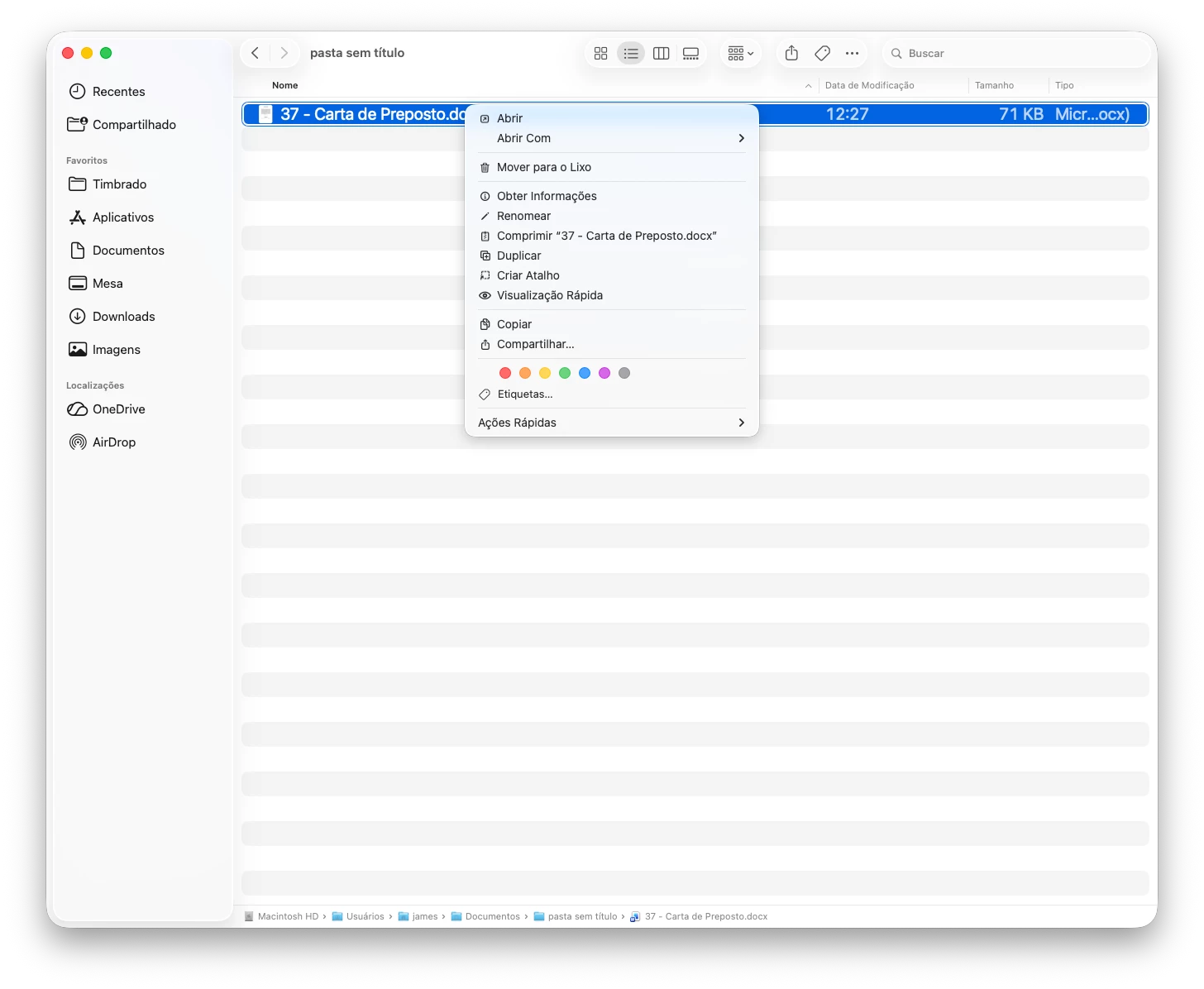

Como insiro uma opção de ‘converter em pdf’ no menu de contexto abaixo?
Hello @James24433413kq4k,
I hope you are doing well, and thanks for reaching out. We're sorry for the trouble.
Could you please share more details about the issue?
Are you using the freeware Acrobat Reader desktop app, or the paid version of Acrobat?
What is the version of Mac os installed?
Could you also share the workflow you are trying?
I checked and verified your Adobe ID (email), which you have used to log in to the community platform, and see that you have an active license of Acrobat Pro. Assuming from the screenshot, you’re trying to add a “Convert to PDF” option to the macOS Finder right‑click/context menu for a file such as a DOCX.
Please note that the current Adobe Help workflow for converting files on macOS is from inside Acrobat: File > Create > PDF from file, select the supported file, then select Open. Acrobat converts it to a PDF.
Please ensure that you are using Acrobat Pro, not the freeware Acrobat Reader desktop app. To check, navigate to Acrobat > Help> About Adobe Acrobat.
Also, note that on macOS, Acrobat does not add a "Convert to PDF" item to the Finder context menu. On Windows, paid Acrobat adds "Combine files in Acrobat" to the right-click menu, but on the Mac that integration does not exist. For this, you can use the Adobe Wish form to file a feature request: https://adobe.ly/4wkaUCY
I hope this helps, and please reach out if you need any assistance.
Regards,
Anand Sri.
Already have an account? Login
Enter your E-mail address. We'll send you an e-mail with instructions to reset your password.


 AdChoices