
Participating Frequently
December 11, 2019
Answered

Copying text from PDF results in garbage characters using Acrobat Reader DC

  • December 11, 2019
  • 3 replies
  • 13182 views

In both Adobe Reader and Google Chrome there is a PDF that I cannot copy characters out of. I can select the text in the PDF and copy it but the text in the clipboard is garbage data not what I copied. Since both Reader and Chrome are affected maybe this has to do with the PDF standard or how the PDF was made? Anyway, I don't think it should copy garbage characters like that.


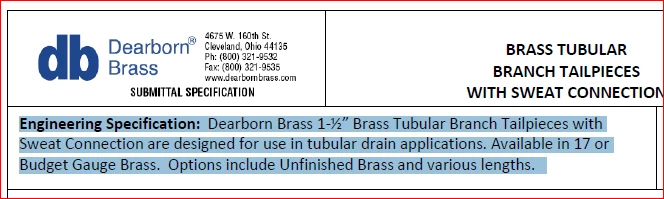
The PDF is here, and below is before and after screenshots to illustrate the problem:
 

[Title Edited by Moderator]

This topic has been closed for replies.
Correct answer Jarkko5E64

This works at least for 1 document I had trouble with, and other users have reported this works also.

I am using Acrobat Pro DC for Microsoft Windows.

1) Make sure you are not in edit mode in Acrobat Pro. 
2) Select the Arrow tool = (Select & Zoom tools / Select Tool)

3) Select text you want to copy

4) Right click, Copy with Formatting.

5) Wait before Pasting, this may take some time to get copied to ClipBoard.

3 replies

Jarkko5E64Correct answer
Participant
January 21, 2021

This works at least for 1 document I had trouble with, and other users have reported this works also.

I am using Acrobat Pro DC for Microsoft Windows.

1) Make sure you are not in edit mode in Acrobat Pro. 
2) Select the Arrow tool = (Select & Zoom tools / Select Tool)

3) Select text you want to copy

4) Right click, Copy with Formatting.

5) Wait before Pasting, this may take some time to get copied to ClipBoard.

Inspiring
January 30, 2023

Wow! I just wanted to say how grateful I am for your solution. I have been annoyed for years by this problem and you just provided the simplest workaround possible. Much obliged!

Amal.
Legend
December 12, 2019

Hi there,


Thank you for sharing the PDF file link and we are sorry for the trouble. As described above, Copying text from PDF results in garbage characters


++ Adding on to Test_Screen_Name


We check the file properties and found that it was created using a different application called GNU Ghostscript and it is not letting us copy the text from the PDF file. 


Since you have Adobe Acrobat Reader DC, it's a freeware application with limited functionalities. We need to sanitize the document and run OCR on the document (options available with Adobe Acrobat DC) to make the PDF editable so that we can copy the text from the PDF file correctly. 


However, as a workaround, we can use the snapshot option in Adobe Acrobat Reader DC to copy and paste the text. Go to Edit > Take a snapshot and then select the area of the pdf you want to copy.

Note: Snapshot will not produce the real text, it will produce the image of the text as seen in the PDF file. 


Hope it will help


Regards

Amal


Legend
December 12, 2019

This is how the PDF was made. The PDF standard tells how a PDF can be made searchable, but not all PDF creators follow these steps. Sometimes, too, the PDF creator does what it can, but the fonts used aren’t set up correctly. So this is common as well as annoying. The PDF is not actually faulty, it is within the rules.
