
Participant
August 28, 2025
Answered

Corrupt color profile with Acrobat Reader 25.001.20623 on certain Windows 11 environments

  • August 28, 2025
  • 2 replies
  • 623 views

Dear community!


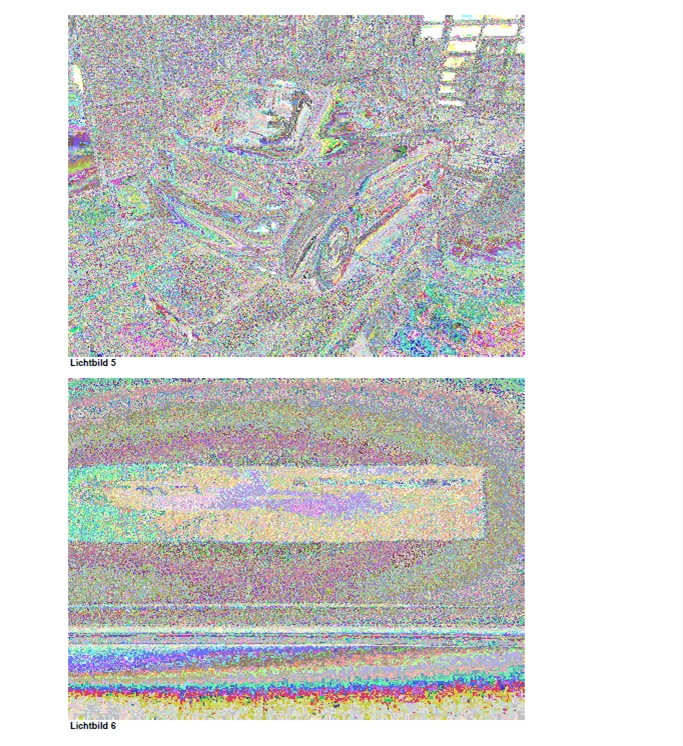
After updating Acrobat Reader to 25.001.20623, certain embedded JPGs in PDF files are being displayed in a corrupt way, apparently with an invalid color profile - see screenshot attached.


Is this a behaviour anyone else might have experienced?


Looking forward to your responses!


Best regards

Tom
 

Correct answer PravalJain

Apologies for the inconvience. This issue is fixed in the latest update. Release notes - https://www.adobe.com/devnet-docs/acrobatetk/tools/ReleaseNotesDC/continuous/dccontinuoussep2025sec.html#dccontinuousseptwentytwentyfivesec.


Please do a "Help -> Check for updates" to update to the latest version and let us know if you still see issues. 

2 replies

JR Boulay
Community Expert
Community Expert
September 3, 2025

[MOVED TO THE ACROBAT READER DISCUSSIONS]

Acrobate du PDF, InDesigner et Photoshopographe
creative explorer
Community Expert
Community Expert
August 30, 2025

@tomcom.de pretty buggy huh!?! It's a conflict with certain color profiles or how it processes them on some Windows 11 systems. You can try to Disable Protected Mode, as the enhanced security features can interfere with rendering. Go to Edit > Preferences > Security (Enhanced). Uncheck the option "Enable Protected Mode at startup. Restart Acrobat Reader.

But, honestly, bsides checking to see if there is an update, I would try a clean install again. But first, uninstall Acrobat, then go to adobecom and download their Adobe Cleaner Tool, fix many common problems (such as removing old Adobe software, cleaning corrupt installation files, and fixing your host files to establish a connection with Adobe servers. https://helpx.adobe.com/ca/creative-cloud/kb/cc-cleaner-tool-installation-problems.html

Wipe Acrobat out. Restart your computer. 

And then go ack to adobe.com or Creative Cloud Desktop and download a fresh Acrobat. Don't use the old previous download because that's the issue. Get a new download! Follow the instructions and install it! 

m
PravalJainCorrect answer
Adobe Employee
September 3, 2025

Apologies for the inconvience. This issue is fixed in the latest update. Release notes - https://www.adobe.com/devnet-docs/acrobatetk/tools/ReleaseNotesDC/continuous/dccontinuoussep2025sec.html#dccontinuousseptwentytwentyfivesec.


Please do a "Help -> Check for updates" to update to the latest version and let us know if you still see issues. 

tomcom.deAuthor
Participant
September 5, 2025

Thanks a lot, release 2025.01.20672 solved the issue.