Participant
October 4, 2018
Answered

corrupt file list in acroread.msi ?

  • October 4, 2018
  • 1 reply
  • 2602 views

HI,

after installing version AcroRdrDC1900820071_de_DE.exe (same problem in AcroRdrDC1801120063_de_DE.exe and AcroRdrDC1900820071_en_US) via msi and mst the program is missing the file "c:\program files\Adobe\Acrobat Reader DC\Reader\AcroCEF\chrome_elf.dll". It then complains about RdrCEF.exe not responding.

After extracting the downloaded exe, and after creating the administrative installation point, the file (and some others) are still there. i checked the acroread.msi and found out, that there the files are not added to installation. Thaty why they are missing ....

I checked old acroread.msi and at least in version 1801120055 the file list was complete !

Any idea or committment that this a bug?

Thanks
    This topic has been closed for replies.
    Correct answer kr98836231

    Hi kr98836231,

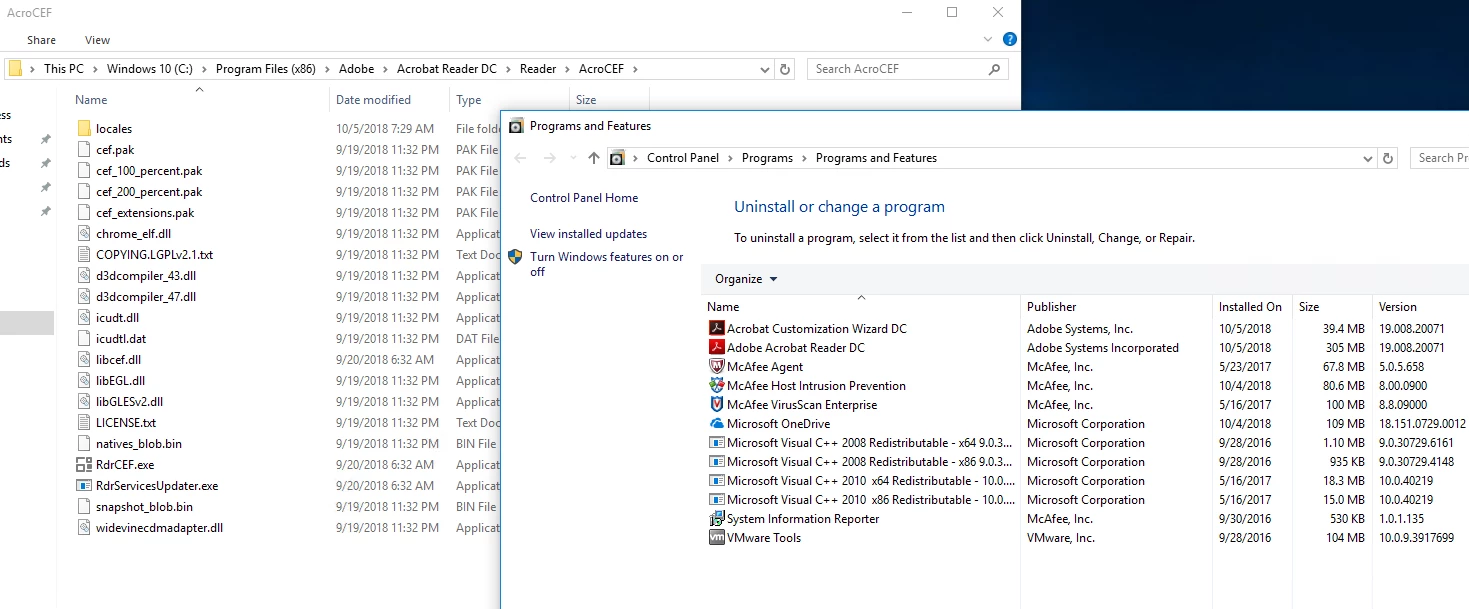
    I tried this at my end and the file: chrome_elf.dll is installed on the machine. Please see the screenshot:

    In wizard, the files are not shown because these are a part of msp and not msi.

    Can you please try reinstalling the product and see if the files are installed on disk. Thanks.


    Hi there,

    thanks. It is still not working.

    Here is, what i am doing.

    Download from http://get.adobe.com/de/reader/enterprise/

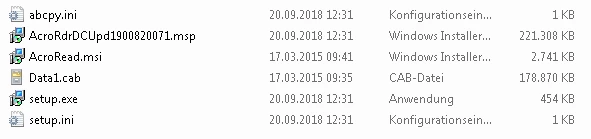
    Extract: C:\adobe\AcroRdrDC1900820071_de_DE.exe -sfx_o"C:\AIP5" -sfx_ne

    Then i have:

    Create a network installation point:

    msiexec /a C:\AIP5\AcroRead.msi

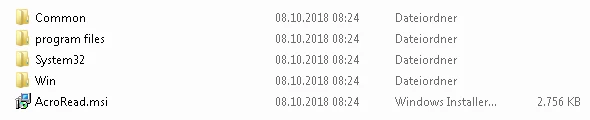
    Patch the network installation point:

    msiexec /a C:\AIP6\AcroRead.msi /p C:\AIP5\AcroRdrDCUpd1900820071.msp

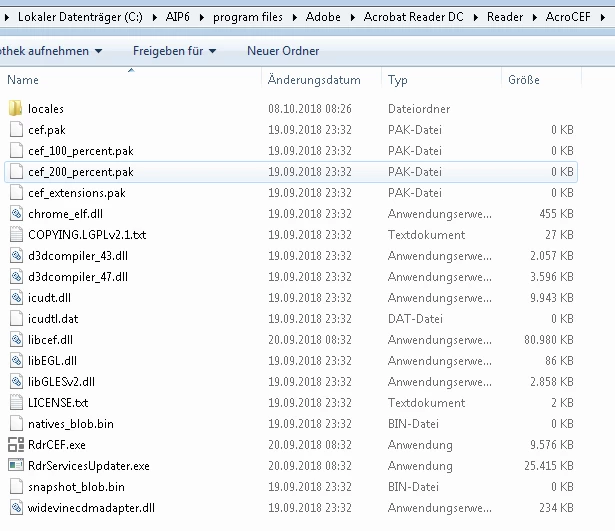
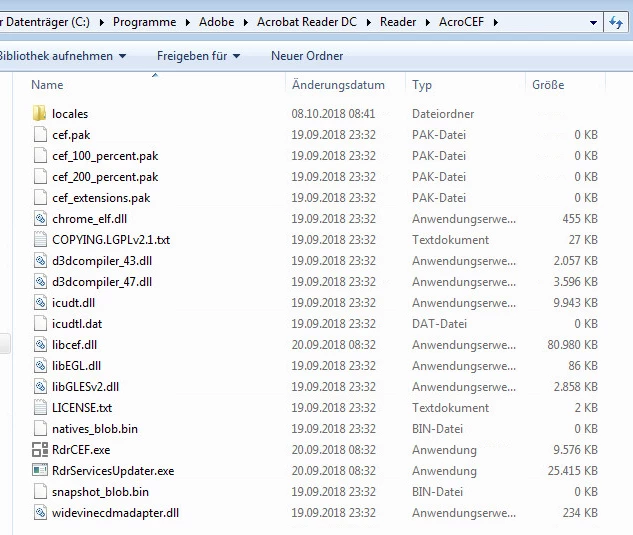
    I can see the "missing" files within the file system:

    This was working like that all the time.

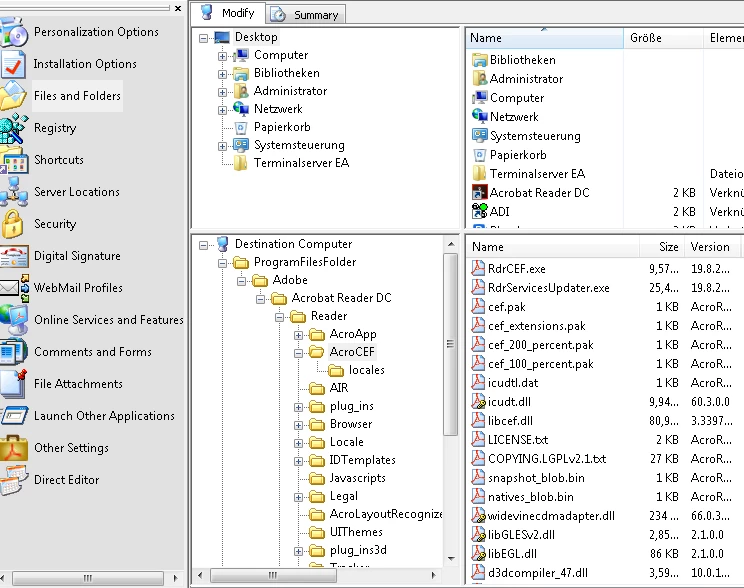
    Checking with the wizard...

    Ok, here we go.... ( at the time i am writing this, i think i found my problem)

    Building mst and installing .....

    The files are installed !

    My fault was to patch the extracted files, without creating a network installation before. I have no idea how this could happen. I am doing this procedure for years now. Now it was working as intended.

    Anyway. Thank you very much for your quick help.

    Regards,

    1 reply

    Adobe Employee
    October 4, 2018

    Sorry about your issue. Will it be possible for you to share the mst file to mohd@adobe.com for us to try to reproduce this issue at our end.

    Participant
    October 5, 2018

    HI Mohd Amish,

    It has nothing to do with
    mst-file. Open just the acroread.msi with the cust.-wizard and click on the
    left to files and folders. Then on the right browse to %programfiles%\Reader\AcroCEF.....
    There you normally have about 20 files (including the chrome_elf.dll) which are
    intended to be installed to Program Files (x86)\Adobe\Acrobat Reader
    DC\Reader\AcroCEF. But in the last mentioned versions the file list is very
    short and at least the chrome_elf.dll is missing. The files itself are available
    within the administrative install.

    When I do the same with an
    earlier msi, everything is like expected.

    Regards,

    Adobe Employee
    October 5, 2018

    Thank you kr98836231.

    We will try it at our end and let you know.

    Thank you for your patience.

    -Amish