

gloriad64706371
Known Participant
April 17, 2017
Question

Creating a multi-page document, each page containing layers

  • April 17, 2017
  • 1 reply
  • 938 views

I am creating multi-size pdf sewing patterns.

The pages are simple line drawings that I create in a CAD program. 
I have been working in Illustrator and finally figured out how to create a file with several layers, bringing it into Reader - one page works great.

However, I have a 5 page document for a beginning project and I can't get the pages  worked into layers individually and saved.

Am I working in the correct Adobe program to create these multi-page pdf files?

Or do I create them individually and then can they be grouped together another way?

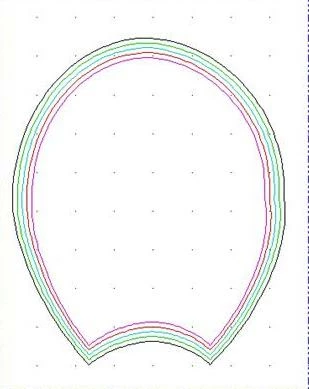
Here's a simple image of a page.
This topic has been closed for replies.

1 reply

try67
Community Expert
Community Expert
April 17, 2017

So you want to save each layer as a separate page? I'm sure it's something that can be done with Illustrator, possibly with a script.

It can't be done with Reader, though, although Acrobat probably can do it.

gloriad64706371
Known Participant
April 17, 2017

I know it can't be done with Reader.  What I'll be doing eventually is read by Reader. 

I'm looking for a definitive answer so I don't have to work myself through trials of every Adobe program.

InDesign might be the next one! 

Thank you for your answer.

Legend
April 17, 2017

If you can make perfect single page PDF files, with all layers correct, you can probably use Acrobat Pro or Acrobat Standard to combine them.