
Participant
April 12, 2017
Answered

Digitally Sign Tool

  • April 12, 2017
  • 1 reply
  • 12136 views

Hi

With the latest update of Adobe Acrobat Reader DC there is a change to the way you set a Digital Signature box on a PDF document.
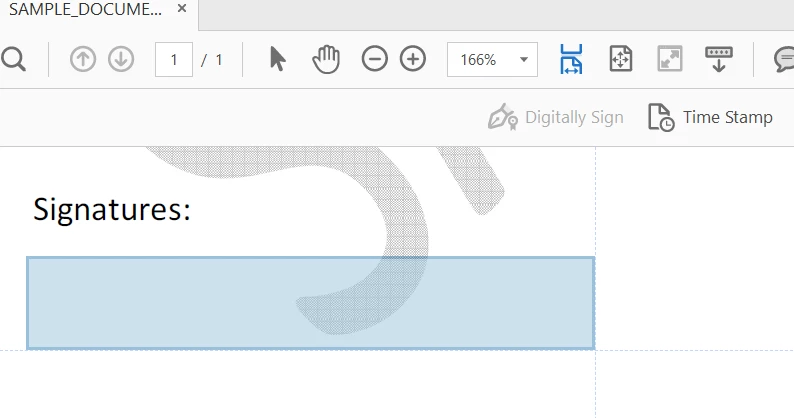
The previous way would allow the signer to specify the size of the signature box and give some flexibility. Could someone give advice on how to either go back to the previous format when applying a signature box or possibly guidelines on how to work with the new format?

Any assistance would be appreciated!

This topic has been closed for replies.
Correct answer cadbury

Dear fabian45015022,

Thank you for reporting the issue.

We have changed the way the signature box could be place on the pdf. Please do not leave the mouse click after dragging the box to the location ,otherwise the size gets fixed. Resize the rectangular box before leaving the mouse click.

Stretch the box to desired size keeping the mouse button clicked.

Please try this way and let me know if you face any issue.

Thanks and regards,

1 reply

cadbury
Adobe Employee
cadburyCorrect answer
Adobe Employee
April 12, 2017

Dear fabian45015022,

Thank you for reporting the issue.

We have changed the way the signature box could be place on the pdf. Please do not leave the mouse click after dragging the box to the location ,otherwise the size gets fixed. Resize the rectangular box before leaving the mouse click.

Stretch the box to desired size keeping the mouse button clicked.

Please try this way and let me know if you face any issue.

Thanks and regards,

violina123
Participant
April 18, 2017

This method does not always work! it depends on where the signature field is...:

Digital Signature Drag Box