

Disable upsell advertisements for mobile apps
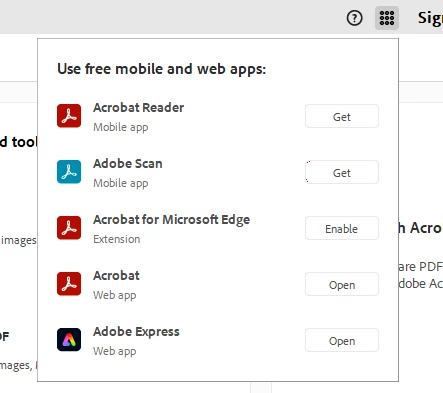
We deploy Acrobat with many registry keys from the Preference Reference page to disable features we do not want. Unfortunately, there doesn’t seem to be a way to disable these two features which advertise mobile apps to our users - which isn’t something we can have in our environment.
This is on the latest version, 25.001.21184.
The first option has a registry key, but it doesn’t seem to work. This is the “app center” at the top of the screen (https://www.adobe.com/devnet-docs/acrobatetk/tools/PrefRef/Windows/FeatureLockDown.html#idkeyname_1_11794). Setting the registry key here doesn't make a difference.
The other ad is for the Acrobat mobile apps. We can disable this with an HKCU setting but there’s nothing lockable within HKLM which makes this difficult to package for our environment.
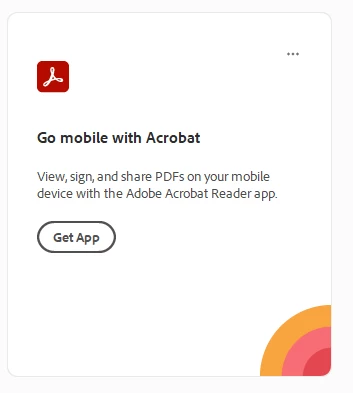
Are there any methods to remove these from the interface? We can't deploy Acrobat without having these sorted.


 AdChoices