
Participant
October 17, 2023
Question

Edit Contacts in Acrobat Sharing

  • October 17, 2023
  • 1 reply
  • 574 views

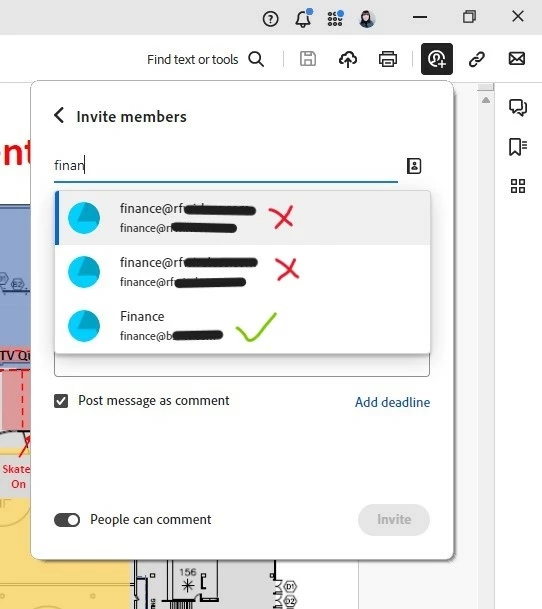
I share most of my files with our Finance team. At one point I was working with our sister company with a similar Finance email address that I'd like to remove from my contacts. Each time I Share and type "finance" the sister company email comes up twice in the list before the company email I need to use. It's time consuming to scroll down everytime. How can I remove the uneeded email from this app?
 

This topic has been closed for replies.

1 reply

Amal.
Legend
October 17, 2023

Hi @Cindy32986455caul 


Hope you are doing well and thanks for reaching out.


You may please share your feature request with the product team using the link https://www.adobe.com/products/wishform.html


Your feedback is valuable to us, and we appreciate your input in helping us improve our product. If you have any additional comments, suggestions, or questions, please share them; we'll do our best to assist you.


~Amal

Participant
November 6, 2023

The website I've been directed to does not recognize my login. Perhaps US vs Canada? But I can't UpVote the offered Features list.