
"Enable pdf thumbnail preview in windows explorer" is missing even though the program is fully updated
I am using Adobe Reader Version 11.0.23, in Windows 10 in a 64 bit environment, and my PDF thumbnail previews are not appearing. I went to the p
When I go to https://helpx.adobe.com/in/acrobat/using/enable-pdf-thumbnail-preview-windows-explorer.html it clearly says that updating to the latest version fixes the issue, however according to Adobe - Adobe Reader : For Windows, lists 23 as the latest version. Also, when I go to preferences, under general / basic tools, the page says the option should be listed like this:

When I look at my settings, I don't even see those options (see screenshot below taken from my adobe reader's preferences):
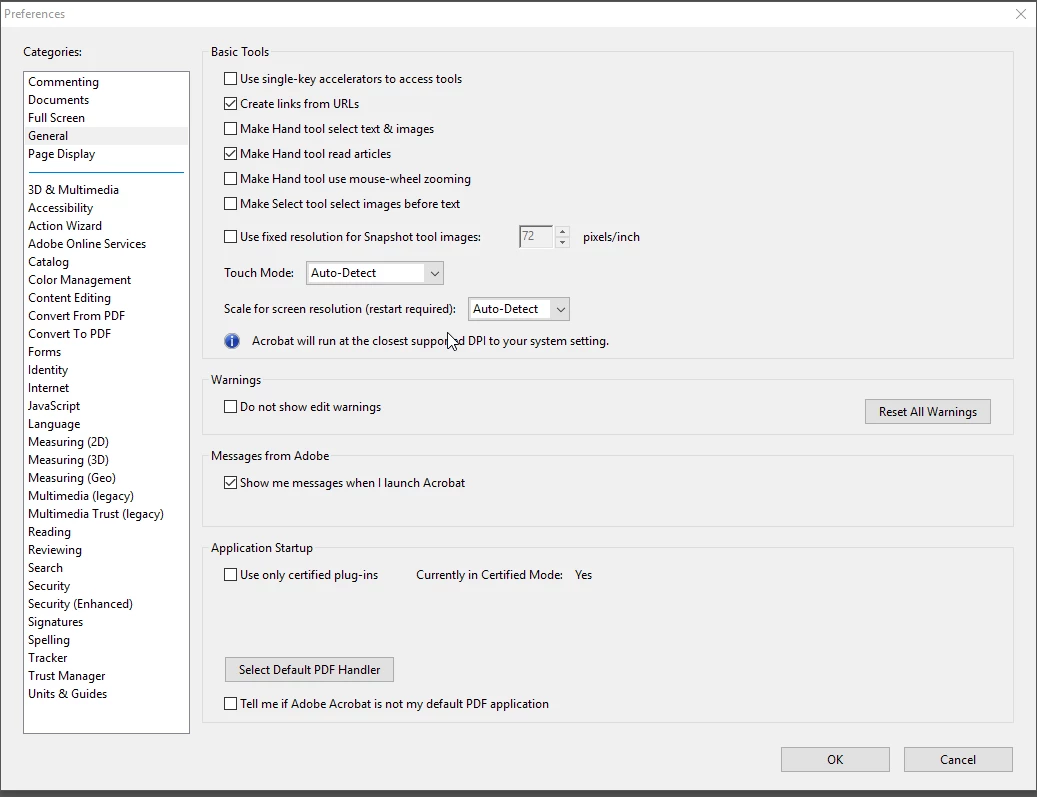
Updating to Adobe Reader DC is not an option at this time in my current enterprise environment. Any suggestions?


 AdChoices