Adobe updated for me yesterday and now I'm getting the messages again too. Sorry about that, I don't see a way to prevent Adobe reader updates.
rick_4271: that's not too hard. Go into your Services and disable Adobe's updater service.
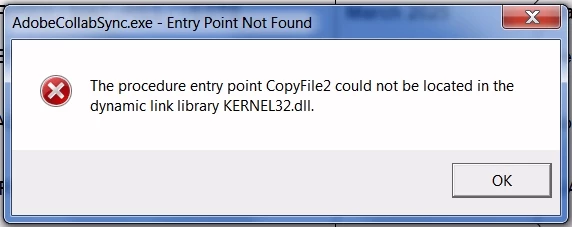
To all else... AnandSri has been leading you down a tunnel of misinformation. CopyFile2 isn't called by Adobe Reader at all. It's called only by AdobeCollabSync, which is a different program that Adobe Reader infuriatingly tries to run because it thinks that you want to use your PDFs collaboratively with other people across the Internet.
Which nearly nobody actually does.
Further infuriatingly. you can't just disable AdobeCollabSynk by deleting or renaming it. Reader gleefully just downloads another copy. against your wishes. Your best bet is to close all Adobe programs, wait until all the Adobe processes are gone from your TaskMan, delete AdobeCollabSync.exe, then immediately create (or copy in) an empty text file that has been renamed AdobeCollabSync.exe, then lock that file so it cannot be replaced.
To lock the file, first set its permissions to read-only. Then go into Permissions and add yourself with full control and also add Administration with full control, then turn off Permission Inheritance and remove all permissions for System. You want to personally be the only one in control of this file's existence.
Sometimes you have to throw rocks to kill despotic giants.




 AdChoices