
Question
Error 109 on Mac
I'm trying not to get too frustrated about this but, several times now I'll be highlighting a doc and hit to save and get:
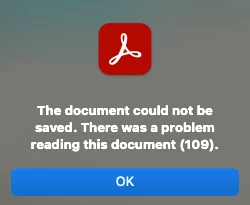
I've closed the app, restarted it, checked for updates, downloaded the file several times thinking it was that and still get this error. This isn't the first time it's happened and it's really so annoying and, lately, Acrobat has been lagging tremendously when I'm highlighting and scrolling. I'm using the 2020 Macbook Pro on the Ventura 13.0 macOS.
Using this version of Acrobat Reader:

Any idea on what to do?
Thanks!


 AdChoices