jignes803
Participant
May 29, 2018
Answered

Error in Adobe

  • May 29, 2018
  • 1 reply
  • 405 views

Dear Sir,

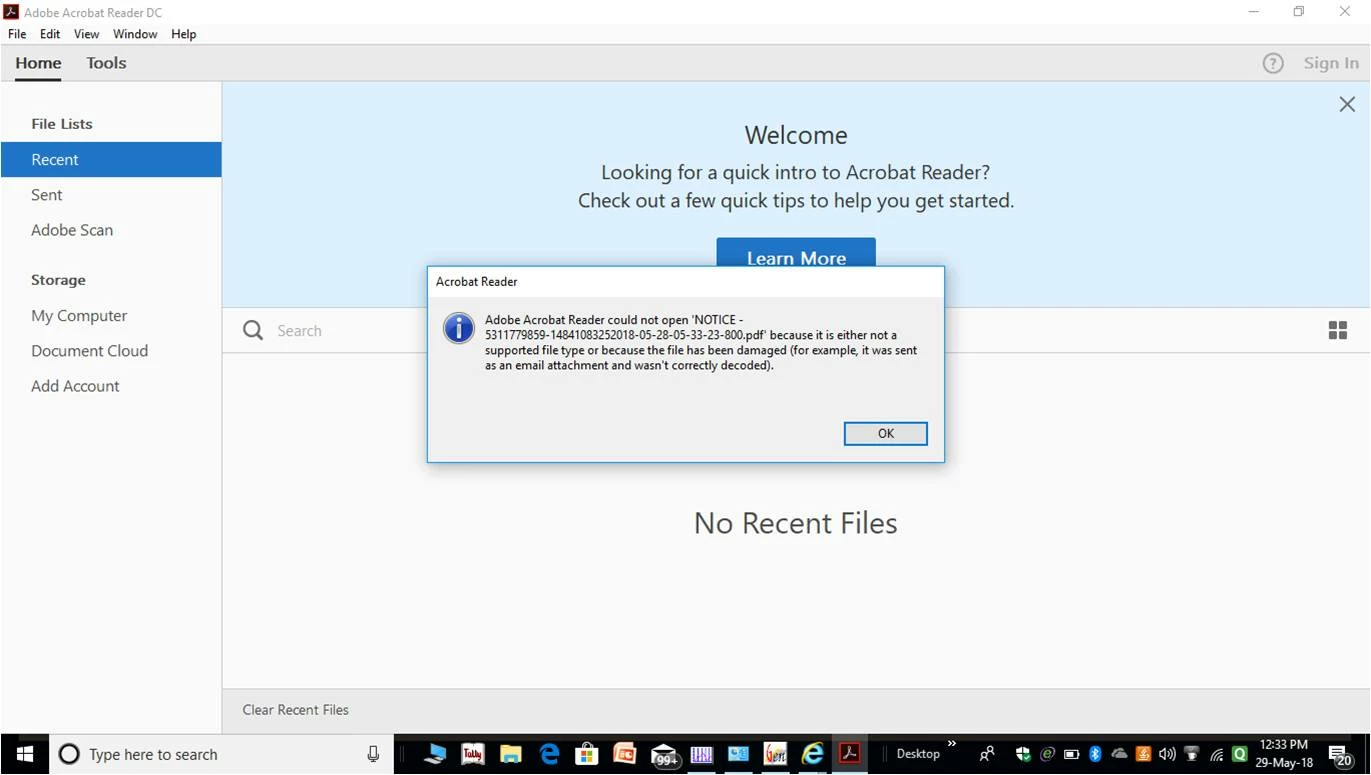
I have downloaded a pdf file from a website. but it is not opening in my pc & showing the error. I attached the screen shot here.

[Moving from the LiveCycle General Discussion forum to an Acrobat Reader forum - moderator]

    This topic has been closed for replies.
    Correct answer AnandSri

    Hello Jignes,

    We apologize for the inconvenience caused, as per the description above, you are not able to open the PDF file in Adobe Reader which you downloaded from a website, is that correct?

    You can "try" to save the pdf attachment first before opening it in Reader but most of the time, that doesn't make a difference. It will confirm that the file is being corrupted by the email though and not by some process involved in opening it from your email client.

    Try opening the PDF file in a browser and check. You can also refer and try the suggestions from the following Adobe articles Can't open PDF

    Resolve damaged document error when opening PDF files

    Check for any pending updates of Adobe Reader installed from help>check for updates, reboot the machine and try opening the PDF file and see if this brings any difference.

    have you tried opening other PDF files? If it is specific to one PDF file, Is it possible to share the PDF file with us so that we can test it at our end? To share the file, please use Adobe Send feature, upload the file, share the link to files via private message only, How Do I Send Private Message

    Let us know how it goes and share your findings.

    Regards,

    Anand Sri.

    1 reply

    AnandSri
    Community Manager
    AnandSriCommunity ManagerCorrect answer
    Community Manager
    May 29, 2018

    Hello Jignes,

    We apologize for the inconvenience caused, as per the description above, you are not able to open the PDF file in Adobe Reader which you downloaded from a website, is that correct?

    You can "try" to save the pdf attachment first before opening it in Reader but most of the time, that doesn't make a difference. It will confirm that the file is being corrupted by the email though and not by some process involved in opening it from your email client.

    Try opening the PDF file in a browser and check. You can also refer and try the suggestions from the following Adobe articles Can't open PDF

    Resolve damaged document error when opening PDF files

    Check for any pending updates of Adobe Reader installed from help>check for updates, reboot the machine and try opening the PDF file and see if this brings any difference.

    have you tried opening other PDF files? If it is specific to one PDF file, Is it possible to share the PDF file with us so that we can test it at our end? To share the file, please use Adobe Send feature, upload the file, share the link to files via private message only, How Do I Send Private Message

    Let us know how it goes and share your findings.

    Regards,

    Anand Sri.