
Participant
November 22, 2017
Question

Error processing a page. Problem reading document (18)

  • November 22, 2017
  • 1 reply
  • 7100 views

Hello together,

my problem occurs when I try to open a PDF file, which was send to me via email. The Acrobat Reader shows the following: Error processing a page. Problem reading document (18).
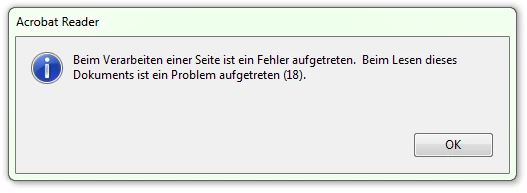
If I click on "ok" I can scroll throught the file but half of the pages are empty.

Does someone know why? What does error 18 mean?

Thank you in advance.

This topic has been closed for replies.

1 reply

AkanchhaS8194121
Legend
November 22, 2017

Hi Rolfk,

As explained above, that the file goes blank after clicking on the OK on the error message. So does this happen with all the documents that you open in Adobe Reader or this particular one?

Which version of Adobe Reader you are working on? Open Adobe Reader >Help>About Adobe Reader DC

Would you please try opening the file online on google chrome? To see whether its a problem with the application or the type of file you are opening.

Let us know the result.

Regards,

Akanchha

Participant
December 13, 2017

Hi Akancha,

Thank you for your answer.

The error occours just sometimes. Most files I can open without any problems.  My Adobe Reader Version is the 2018.009.20050.

Now I also tried to open the file on Google Chrome. There I can see every page normaly. Can I do something to see it on Adobe?

AkanchhaS8194121
Legend
December 27, 2017

Hi,

Apologize for the delay in response to your last message.

In this case we need to check any one of the problematic document at our end, to see whats going wrong with it.

"You can share the file with us via email. And you can send it to the email that is shared via private message. Please do mention your forum thread in the subject"

-Akanchha