
Participant
October 7, 2022
Question

Error signing documents with certificate

  • October 7, 2022
  • 6 replies
  • 4635 views

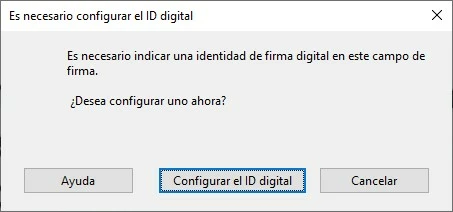
Buenos días, tenemos constancia que desde día 3 de octubre de 2022 , todos los certificados digitales de persona física no pueden utilizarse para firmar en Adobe reader, si en otras aplicaciones, durante muchos años jamás hubo ningún problema en Adobe Reader, se ha probado con todas las versiones de Adobe Reader y en los certificados anteriores al 3 de octubre de 2022 no hay problema pero los posteriores impide firmar, es como si no reconociera el certificado.
This topic has been closed for replies.

6 replies

juannapp
Participant
December 5, 2022

Tengo el mismo problema.

Certificado FNMT 27/10/22 y AR a la última versión.

El certificado anterior si tira, aparece para firmar, pero obviamente está revocado 😕😕

Esperando solución.

Saludos.


Inspiring
November 17, 2022

Buenas tardes:

Veo que un montón de personas estamos teniendo este problema. Os dejo por aquí el enlace donde también estamos intentando resolver el tema o que nos hagan caso:

https://community.adobe.com/t5/acrobat-reader-discussions/certificado-digital-firma-digital/m-p/13351280#M95617 

Un saludo.

Participant
November 9, 2022

Buenos días chicos,


Definitivamente algo ha pasado con las últimas versiones de Adobe y los nuevos certificados digitales de la FNMT.

Estos últimos han hecho algunos cambios en las propiedades de los mismos y probablemente hayan provocado un conflicto con los certificados de confianza de Adobe... Tras trastear un poco, la solución más simple que A MI me funcionó es la siguiente:


- DESINSTALAR TOTALMENTE la versión actual instalada en tu equipo

- INSTALAR LA VERSIÓN 11.0.0 del ADOBE ACROBAT XI PRO

- Una vez se inicie y te pregunte si quieres descargar los últimos certificados de confianza o alguna actualización de algo... Dejadle claro que NO.


Y no tiene más... Probadlo, ojalá os sea de ayuda mientras no dan una solución real.


Un saludo.

Participant
November 10, 2022

Sigue sin solucionarse el problema verdad? a mi me sigue saliendo el mismo mensaje de creación del ID

Participant
November 16, 2022

i get the same message and i am trying to use a token digital signature i just bought.

Meenakshi Negi
Community Manager
Community Manager
October 27, 2022

Hi pablo5CCC and ramonja268765,


Thank you for sharing the information.


Please allow us some time to get this checked.

We will update you with more details and let you know if we need more information.


Thanks,

Meenakshi

Participant
November 16, 2022

hello, do you have any progress in solving this situation?

Meenakshi Negi
Community Manager
Community Manager
October 25, 2022

Hi All,


Thank you for reporting this issue, and sorry about the trouble caused.


Please provide the following information to further investigate this issue:

- Share the Acrobat and OS versions on the machine.

- Does it happens to the Digital signature that has been created recently?

- Did you make any recent changes that might have caused this issue?


Thanks,

Meenakshi

Participating Frequently
October 25, 2022

Hi Meenakshi,


I provide you with the information you request:

Share the Acrobat and OS versions on the machine: Adobe Acrobat Pro Version 2022.003.20258. Machine: MacBook Pro macOS Monterey Version12.6

- Does it happens to the Digital signature that has been created recently? Yes, It is a certificate downloaded on October 9 from the FNMT (https://www.cert.fnmt.es/)

- Did you make any recent changes that might have caused this issue? No change that I am aware of, except to replace the expired certificate with the new downloaded one.

Thanks

Pablo

Participating Frequently
October 9, 2022

¿Alguna novedad? Creo tener el mismo problema. Me reconoce el certificado pero no me deja firmar. En "opciones de uso" no me aparece la opción firmar.

Participant
October 10, 2022

Hola, parece que seguimos con el mismo problema; ni Adobe ni Ceres nos dan solución...


Como alternativa, si necesitáis firmar un documento urgentemente, podéis usar Autofirma. Saludos.

Participating Frequently
October 10, 2022

Gracias, permaneceremos a la espera. Por ahora vohy salvando el escollo usando el certificado en el DNI que es más "viejo".