
Participant
August 30, 2018
Answered

Excel file to PDF then error message when trying to open PDF

  • August 30, 2018
  • 1 reply
  • 2014 views

I have to work with several Excel spreadsheets that need to be emailed as a PDF.  When i save the Excel File as a PDF and try to open it Adobe has started to give me a message that The Adobe Reader can not open the file as it is not a supported file type or that the file has been damaged (for example it was sent as an email attachment and was not correctly decoded.)

How do i fix this issue it just started this week i have always been able to save the Excel file as a PDF why the issues now? 
    This topic has been closed for replies.
    Correct answer AkanchhaS8194121

    Hi Randyg,

    As mentioned that you are trying to save a spreadsheet as pdf, so saving a spreadsheet as pdf is a process of creating pdf. So are you using the Adobe Acrobat DC to create pdf or directly saving a .xls file to .pdf?

    We looked into your account information but couldn't found any subscription registered under it. Creating a .pdf file isn't possible without the Adobe's subscription. And if you are directly saving a .xls file to .pdf then that works on different mechanism and Adobe doesn't have a hold on it. 

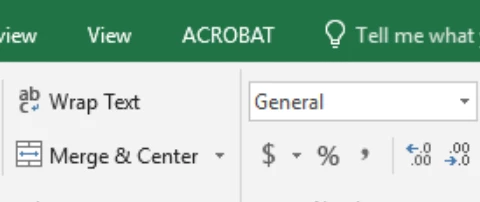
    • Convert the spreadsheet as pdf using the Acrobat ribbon at the upper menu bar.

    • For testing purpose check with a different file and see if that open up.

    Regards,

    Akanchha 

    1 reply

    AkanchhaS8194121
    AkanchhaS8194121Correct answer
    Legend
    August 31, 2018

    Hi Randyg,

    As mentioned that you are trying to save a spreadsheet as pdf, so saving a spreadsheet as pdf is a process of creating pdf. So are you using the Adobe Acrobat DC to create pdf or directly saving a .xls file to .pdf?

    We looked into your account information but couldn't found any subscription registered under it. Creating a .pdf file isn't possible without the Adobe's subscription. And if you are directly saving a .xls file to .pdf then that works on different mechanism and Adobe doesn't have a hold on it. 

    • Convert the spreadsheet as pdf using the Acrobat ribbon at the upper menu bar.

    • For testing purpose check with a different file and see if that open up.

    Regards,

    Akanchha