Participant
March 20, 2020
Answered

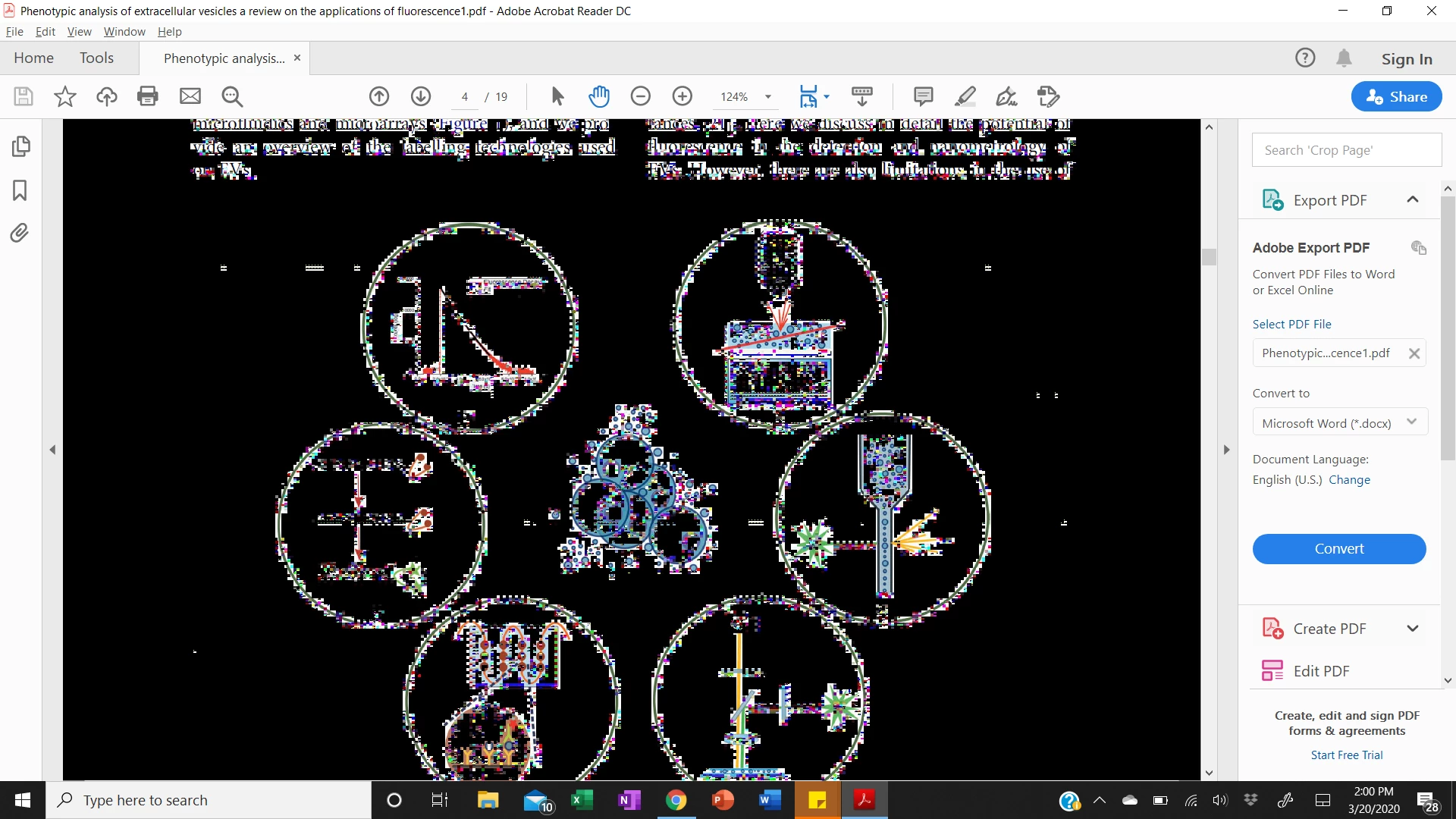
Files showing up as black with grainy white text

  • March 20, 2020
  • 4 replies
  • 1730 views


Upon installing reader on Windows 10, when I open a file it is fine at first, but upon scrolling or interacting with the text, it shifts to an all black background with unreadable white text. I have tried uninstalling using the windows uninstall option as well as the Adobe cleaner, as directed by online support. Neither approach has worked upon reinstallation. I have attached a screenshot below. 
This topic has been closed for replies.
Correct answer de86

Hey Deelan,


If you haven't already found a solution... See the below from MarkInFL


"In Windows 10 64bit, I was also experiencing the blackened imaging, pixelating, etc., when I clicked on the .pdf image.
I also tried everything others tried. Here is the fix:
Right-click on your Acrobat Reader DC icon on the desktop or navigate to the AcroRd32.exe file in this folder
C:\Program Files (x86)\Adobe\Acrobat Reader DC\Reader

Choose "Troubleshoot Compatibility." Tell the troubleshooter to run this program in Windows 7 compatability mode.

It now works perfectly. NOTE: AcroRd32.exe is a 32bit program -- that's why it's in the (x86) folder. For some reason, Win10 won't run it properly."


Worked for me! -dee86


https://community.adobe.com/t5/acrobat-reader/screen-turns-to-black-and-white-dots-using-adobe-acrobat-reader-dc-19-021-20061/m-p/11012097?page=1#M64481


4 replies

Participant
June 16, 2020

I am having this issue aswell, and your above steps didnt fix it for me. 

Please help

Adobe Employee
April 1, 2020

Hi,

Thanks for providing the workaround.

We are further investing this.


Thanks,

Sweta Karn

Adobe Employee
March 23, 2020

Hi,

Thanks for reporting the issue. We are sorry for the inconvenience.


Before investigating the issue, we would like a few details. Could you pls. help us with following queries?

  1. Can you share one such PDF file?
  2. Can you provide the Acrobat version you are using?

You can find the version using the steps mentioned below:

Go to Help -> About Adobe Acrobat Reader DC.

Version will be mentioned on the top.


Thanks,

Sweta Karn

Participant
March 23, 2020

Thank you for your reply,


It is Version 2020.006.20042.


I have attached the link to the file pictured above.


https://documentcloud.adobe.com/link/track?uri=urn%3Aaaid%3Ascds%3AUS%3Aa397837a-33e5-4463-b6ff-3b1ba057f3fc

de86Correct answer
Participating Frequently
March 29, 2020

Hey Deelan,


If you haven't already found a solution... See the below from MarkInFL


"In Windows 10 64bit, I was also experiencing the blackened imaging, pixelating, etc., when I clicked on the .pdf image.
I also tried everything others tried. Here is the fix:
Right-click on your Acrobat Reader DC icon on the desktop or navigate to the AcroRd32.exe file in this folder
C:\Program Files (x86)\Adobe\Acrobat Reader DC\Reader

Choose "Troubleshoot Compatibility." Tell the troubleshooter to run this program in Windows 7 compatability mode.

It now works perfectly. NOTE: AcroRd32.exe is a 32bit program -- that's why it's in the (x86) folder. For some reason, Win10 won't run it properly."


Worked for me! -dee86


https://community.adobe.com/t5/acrobat-reader/screen-turns-to-black-and-white-dots-using-adobe-acrobat-reader-dc-19-021-20061/m-p/11012097?page=1#M64481


Participant
March 20, 2020

Also, this is happening with all files, rather than confined to one specific document.

Participating Frequently
March 20, 2020

Same Problem here. Not resolve with uninstall and reinstall. resolves when you scroll past and then return but continues to happen when you click on the screen. Worse on documents that have fields that you can fill in.