

Participant
October 19, 2021
Answered

Fill and sign missing from Forms & Signatures tools

  • October 19, 2021
  • 1 reply
  • 1406 views

good day 


the Fill and sign function in not working for me, as you can see in missing from the Tools options:
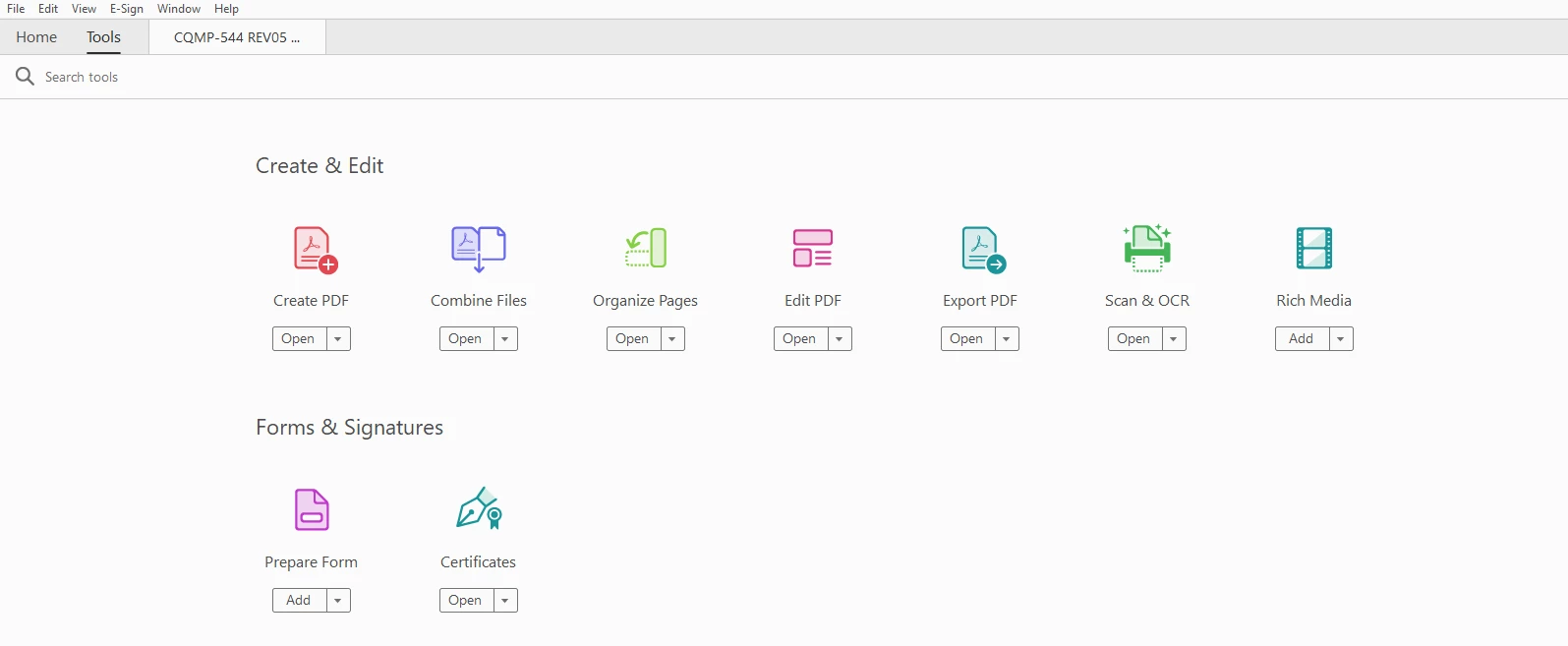
and when i press the icon in the nothing happens


 

This topic has been closed for replies.
Correct answer Amal.

Hi there


Please remove the application using the Acrobat cleaner tool -https://www.adobe.com/devnet-docs/acrobatetk/tools/Labs/cleaner.html  reboot the computer once and reinstall the application using the link - https://get.adobe.com/reader/enterprise/


Regards

Amal

1 reply

Amal.
Community Manager
Community Manager
October 19, 2021

Hi there 


Hope you are doing well and sorry for the trouble. As described the option for fill and sign is missing form the tools option.


Please try to repair the installation from the help menu (Windows Only) and reboot  the computer once and see if that helps.


Also make sure you have the latest version 21.07.20099 installed from the help menu > Check for updates and reboot the computer.


If it still doesn't work, please remove the application using the Acrobat cleaner tool -https://www.adobe.com/devnet-docs/acrobatetk/tools/Labs/cleaner.html  reboot the computer once and reinstall the application using the link - https://get.adobe.com/reader/enterprise/


Regards

Amal

guy5EDDAuthor
Participant
October 26, 2021

Hi Amal 


i repair the installation, and verefied that my vertion is 21.07.20099 (it was before the re-instalation), and unfortunately it dident solved the problem. 


Amal.
Community Manager
Amal.Community ManagerCorrect answer
Community Manager
October 26, 2021

Hi there


Please remove the application using the Acrobat cleaner tool -https://www.adobe.com/devnet-docs/acrobatetk/tools/Labs/cleaner.html  reboot the computer once and reinstall the application using the link - https://get.adobe.com/reader/enterprise/


Regards

Amal