Participant
February 12, 2020
Question

Fill & Sign broken unless "Find" button is clicked first

  • February 12, 2020
  • 1 reply
  • 1574 views

Hey all,


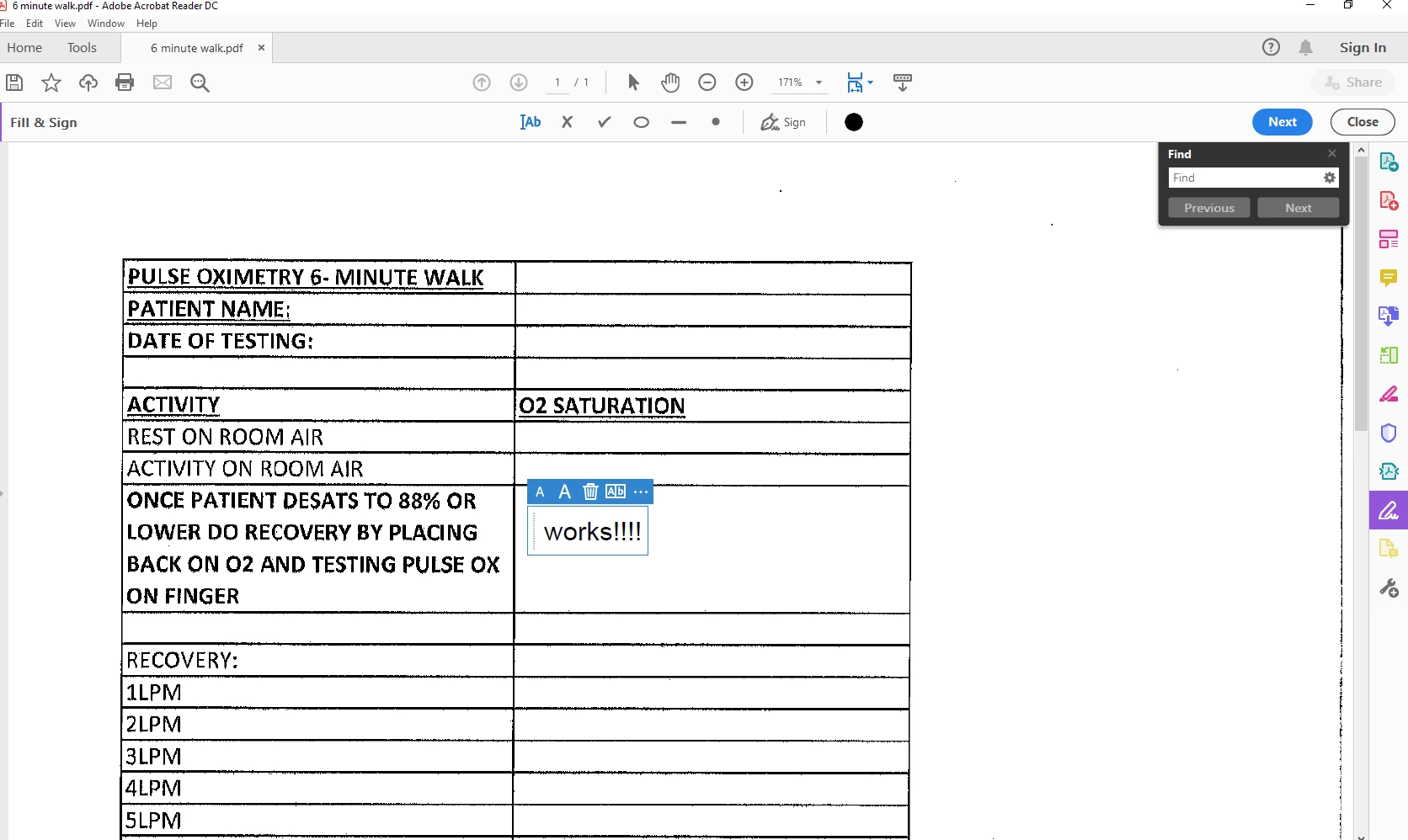
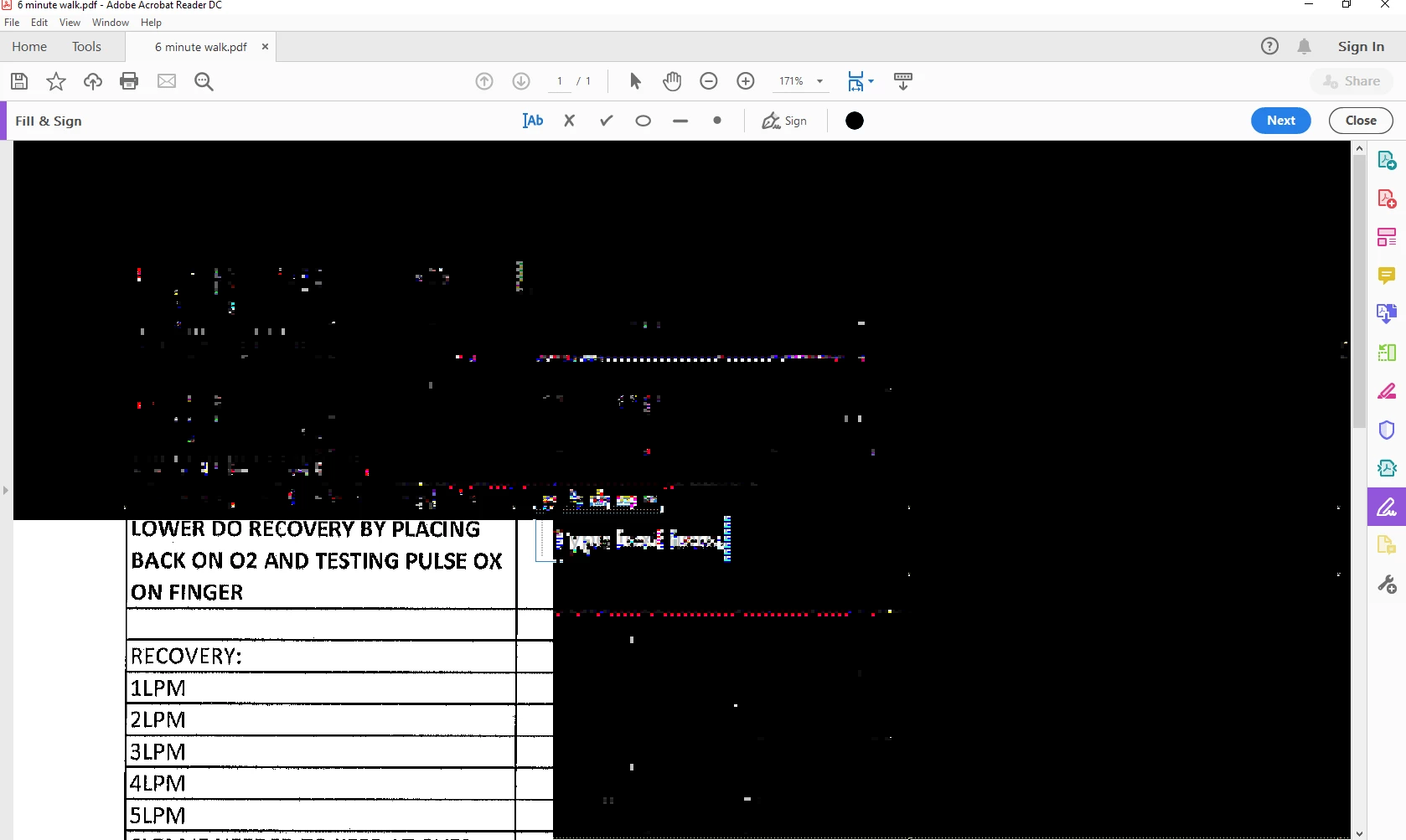
I have a client where several users are experiencing color inversions when attempting to fill and sign.  When trying to do so, the colors in the document go inverted and pixelized.  However, if the user clicks the "find" button and then simply closes the find dialog box, THEN attempts fill and sign, it works totally fine.


They're armed with this knowledge now, so at least they can work at the expense of 2 extra clicks, but we really need to resolve this properly.  There is very little info regarding this issue.  I'm beginning to think we are the only place experiencing this.


Is there an Adobe diagnostic that can be run to identify what might be causing this?

This topic has been closed for replies.

1 reply

AnandSri
Legend
February 13, 2020

Hi Jason!


We're sorry for the trouble you had with Adobe Reader. 

What is the current version of Adobe Reader installed on the user's machine on which they are experiencing this issue?

To identify, please take help from the article: Identify the product and its version for Acrobat and Reader DC


Also, what is the version of the operating system installed?


Are they experiencing this issue with all the PDF files while using the Fill and Sign tool and the colors are inverting or with one specific PDF file?


Please make sure they/you have the latest version of Adobe Reader DC 20.006.20034 Planned update, February 11, 2020 installed on the machine.


Please check for any pending updates of Adobe Reader from the help menu > select check for updates. Reboot the machine once after updating the application and check.


If you are experiencing this issue with one specific PDF file, then please share a sample file with us in a private message so that we can test it at our end.

Please upload the sample PDF file to Document Cloud, generate the share link and send it to us in the private message.


Thanks,

Anand Sri.


Participant
February 13, 2020

Anand, it is happening on all PDF's.  We are fully up-to-date as of yesterday, but the issue still occurs unless we click on "find" when we first open the PDF.

Participant
February 17, 2020

Any more ideas we can try?  Or will we have to tell customer to get full version of this software?