Participant
October 5, 2018
Answered

Filtered Recent Documents file Path Missing

  • October 5, 2018
  • 1 reply
  • 473 views

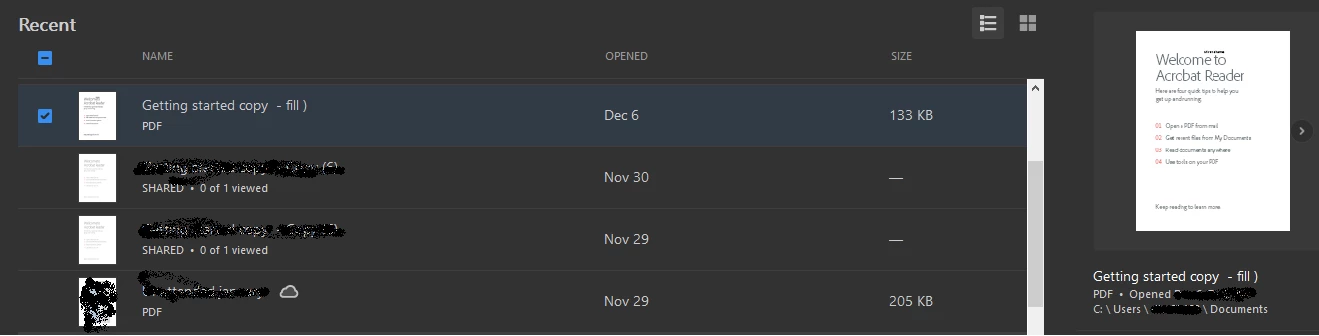
In previous versions when filtering recent documents, the file path was available when a file is selected. No more.

Previously, typing dynamically filtered the list, now we have to click the magnifier.

    This topic has been closed for replies.
    Correct answer Adorobat

    Hi ieales,

    As per the issue description mentioned above, file path is missing for filtered recent documents in reader, is that correct?

    Try checking the box next to one of the files and check if that brings up the location for the file.

    You may also visit the following help document to check what has changed with the new Home view,

    What's new in Adobe Acrobat DC

    Thanks,

    Shivam

    1 reply

    Adorobat
    AdorobatCorrect answer
    Participating Frequently
    December 7, 2018

    Hi ieales,

    As per the issue description mentioned above, file path is missing for filtered recent documents in reader, is that correct?

    Try checking the box next to one of the files and check if that brings up the location for the file.

    You may also visit the following help document to check what has changed with the new Home view,

    What's new in Adobe Acrobat DC

    Thanks,

    Shivam