
Known Participant
July 30, 2020
Question

Fix damaged PDF

  • July 30, 2020
  • 4 replies
  • 801 views

When trying to open a specific document I save I get the following error: "Adobe Reader could not open … because it is either not a supported file type or because the file has been damaged (for example, it was sent as an email attachment and wasn’t correctly decoded)."


This PDF was saved by myself to my desktop as a PDF yesterday  morning. Unfortunately now it does not want to open. It was not emailed. The size of the pdf is 46.6Kb. I have uninstalled and reinstalled Acrobat Reader DC, restarted my computer, turned off the protected view...no luck. This is also the ONLY file that is not working out of the 3 I saved early.


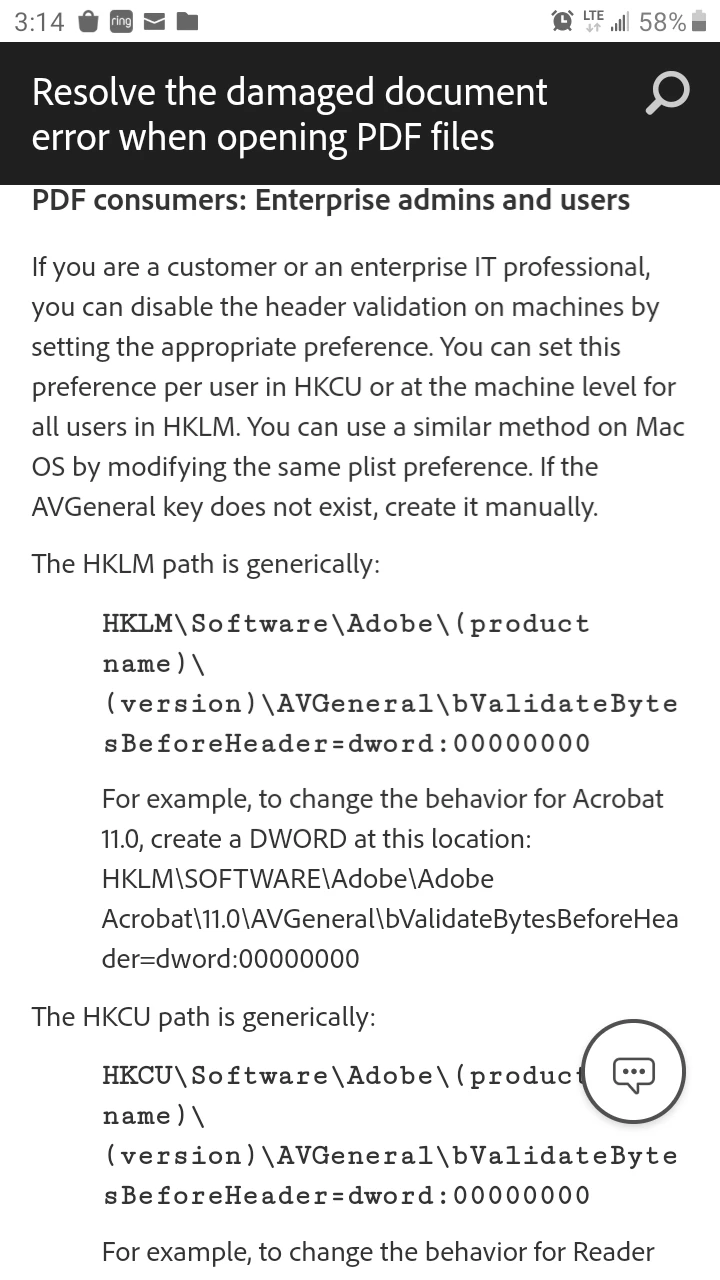
I keep seeing the below image as the fix on this forum but where am putting this HKLM/HKCU information in? Can any break down the "resolution" below so I can retrieve my PDF? Or another fix? Thank you!
This topic has been closed for replies.

4 replies

Legend
August 3, 2020

If you do not understand the advice to change the registry then DO NOT ATTEMPT TO DO THIS. THE  REGISTRY IS DANGEROUS. YOU COULD LOSE YOUR WHOLE SYSTEM. I suggest you do the test with Notepad which is quick and easy, and May show it really was damaged. 

Known Participant
July 31, 2020

Does anyone have directions on how to use this or a more simple way to fix the pdf file

Abambo
Community Expert
Community Expert
August 3, 2020

What is the tool you used to create the PDF file? 


Please tell us more about your operating system and version, the software and version. Please use EXACT version numbers. "Latest version" does not tell us that you really have the latest version and will no more be true at the next version level.


When you open the file with a text editor (like notepad on a Windows PC) what does the first line look like?

It should be something like %PDF-1.6

ABAMBO | Hard- and Software Engineer | Photographer
Bernd Alheit
Community Expert
Community Expert
July 31, 2020

For this you must use the registry of Windows.

Known Participant
July 31, 2020

Any help?