

RehmannIT
Participant
February 13, 2026
質問

Font errors

  • February 13, 2026
  • 返信数 1.
  • 201 ビュー

For the past couple of months many of our users have been having an error pop up regarding fonts. Apparently Adobe won’t provide any form of assistance unless you pay for their services so hopefully the community can do better than them.

The company goes through massive amounts of PDFs (and has started to digitize their physical files) so errors like these can be very troublesome.
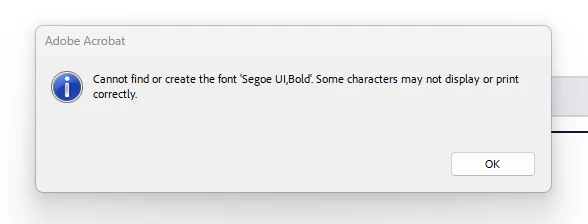
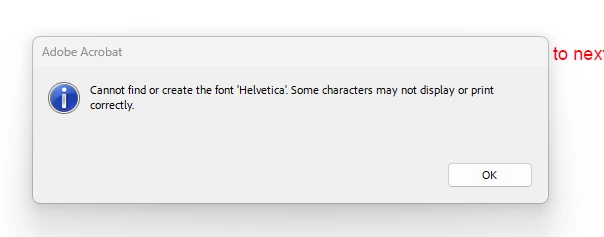
I have no idea why this is happening… I assumed it was related to the latest version of Adobe Reader so I stopped updating the application on the users computers. The problem is not listed on the known issue list for Adobe Reader… The only thing I found online was for users to make sure the option Use Local Fonts was checked under the Page Display settings however I guess that option no longer exists or I am blind…. I confirmed the two fonts are installed on the computer and they work with Microsoft word without any issue.

Everybody is using windows 11 25H2. Hope you guys can help.

    返信数 1

    AnandSri
    Legend
    February 19, 2026

    Hello ​@RehmannIT 


    I hope you are doing well, and thank you for reaching out. We’re sorry for the trouble you had.


    This warning appears when a PDF references fonts that are not embedded in the file, and Acrobat cannot reliably access or substitute them at runtime.

    Please ensure you have the latest version of Acrobat installed on the machine: Version:  25.001.21223 Planned update. Feb 17, 2026. Check for any pending updates by navigating to Menu > Help> Check for Updates. Install the updates, restart the app and the machine, and try again.


    Check whether fonts are embedded in the PDFs: 

    • If the PDFs were created by scanners, legacy systems, or third‑party tools, fonts are often referenced but not embedded.

    In Acrobat Pro (recommended):


    For high‑volume document workflows, ensure that you embed the fonts at the PDF creation time. Or convert text to outlines / image‑based PDFs when fonts cannot be licensed or embedded.


    If users are opening PDFs from:

    • network shares
    • document management systems
    • or vendor portals

    Test by saving the file locally first. 


    Please note that “Helvetica” is often referenced in PDFs but not embedded. Windows does not include native Helvetica > it substitutes it. If substitution fails, Acrobat throws this error. Ensure that fonts are installed on the machine.


    Let us know how it goes.

    Regards,

    Anand Sri.

    RehmannIT
    RehmannIT作成者
    Participant
    February 19, 2026

    We noticed that the issue is only affecting PDF’s that are downloaded from Abrigo (https://www.abrigo.com/). The issue seemed to have started around December and seems like it's only affected by PDF’s involving third party software… After searching online a bit I even found AutoCAD was affected in some way (https://www.autodesk.com/support/technical/article/caas/sfdcarticles/sfdcarticles/Font-error-displays-in-Adobe-Reader-when-opening-a-PDF-created-in-AutoCAD.html).

    I did update the user to the version that was released on the 12th however we will give the latest a try. I stopped updating users' adobe software because I didn’t want the issue to spread since this does affect business operations. We also have had it happen for a user that uses the Adobe Acrobat (paid version) so I hope this is something that can be resolved. The temporary workaround is to open the affected pdfs in chrome or edge and then print from there since there are no issues.

    AnandSri
    Legend
    February 19, 2026

    @RehmannIT Thanks for sharing the information. Could you please try with the latest build once and let us know how it goes?

    Also, share a sample PDF file causing the issue, the OS version from the affected machine, and the logs for further investigations.


    Regards,

    Anand Sri.