
Garbage Characters in Acrobat Reader DC
We received an pdf file from an government authority and the pdf shows garbage characters in Acrobat Reader DC for some of the text (see screenshot). The pdf file should be OK because it is displayed correctly e.g. with Chrome or Edge on the same computer. The same pdf file is also displayed correctly on another computer with Acrobat Reader DC (same version 2021.011.20039). Therefore it seems to be an issue with the installation on that specific computer. We already tried to uninstall Acrobat Reader, delete the C:\Users\<user name>\AppData\Roaming\Adobe\Acrobat directory and reinstall Acrobat Reader but without any noticable change. We also tried to delete the Windows font cache file C:\Windows\system32\FNTCACHE.DAT.
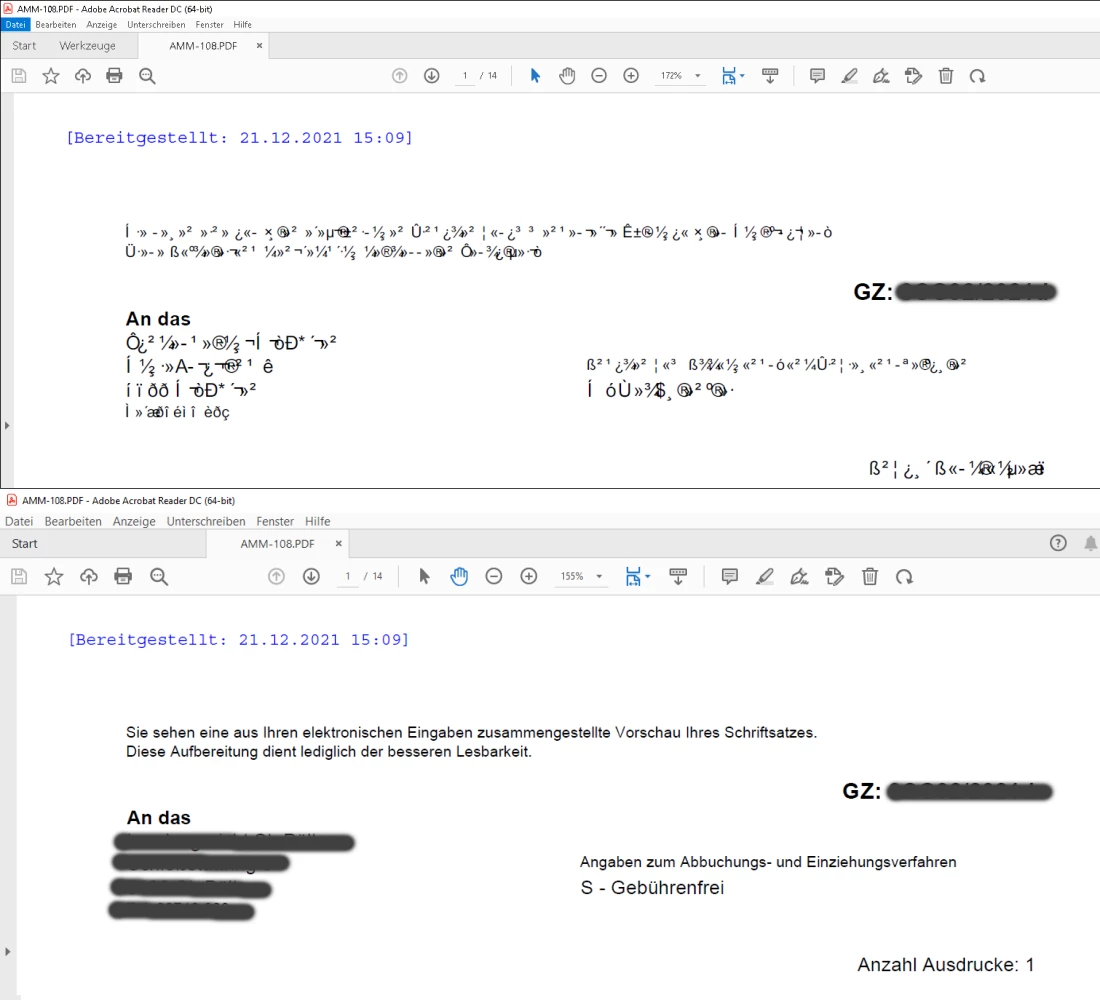
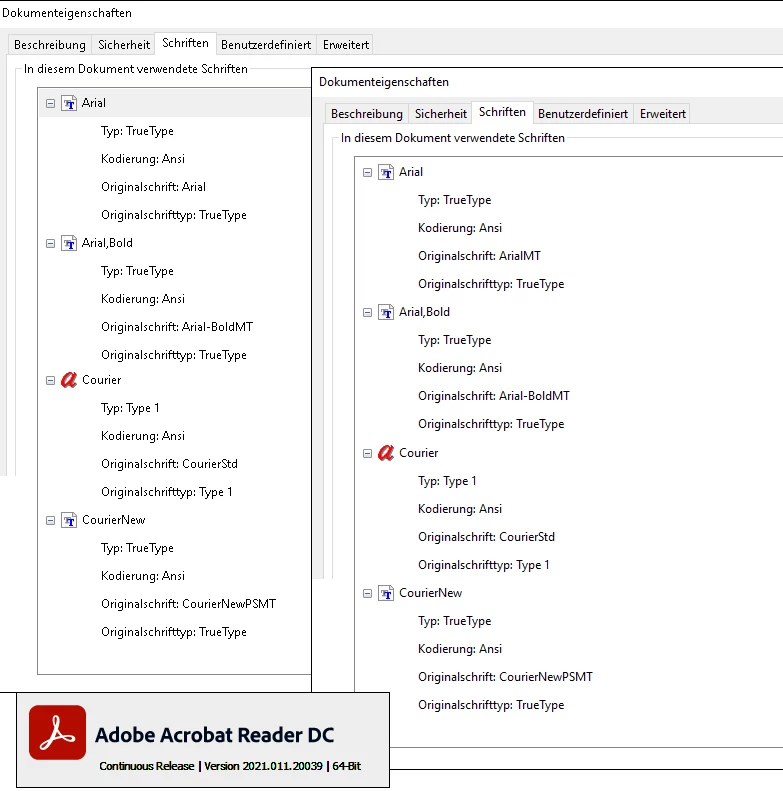
Strangly one reader displays a different actual font for the exact same pdf file (Arial instead of ArialMT)
Any help would be very much appreaciated.


 AdChoices