
Participant
Feb 2, 2023 11:37 AM UTC
Question

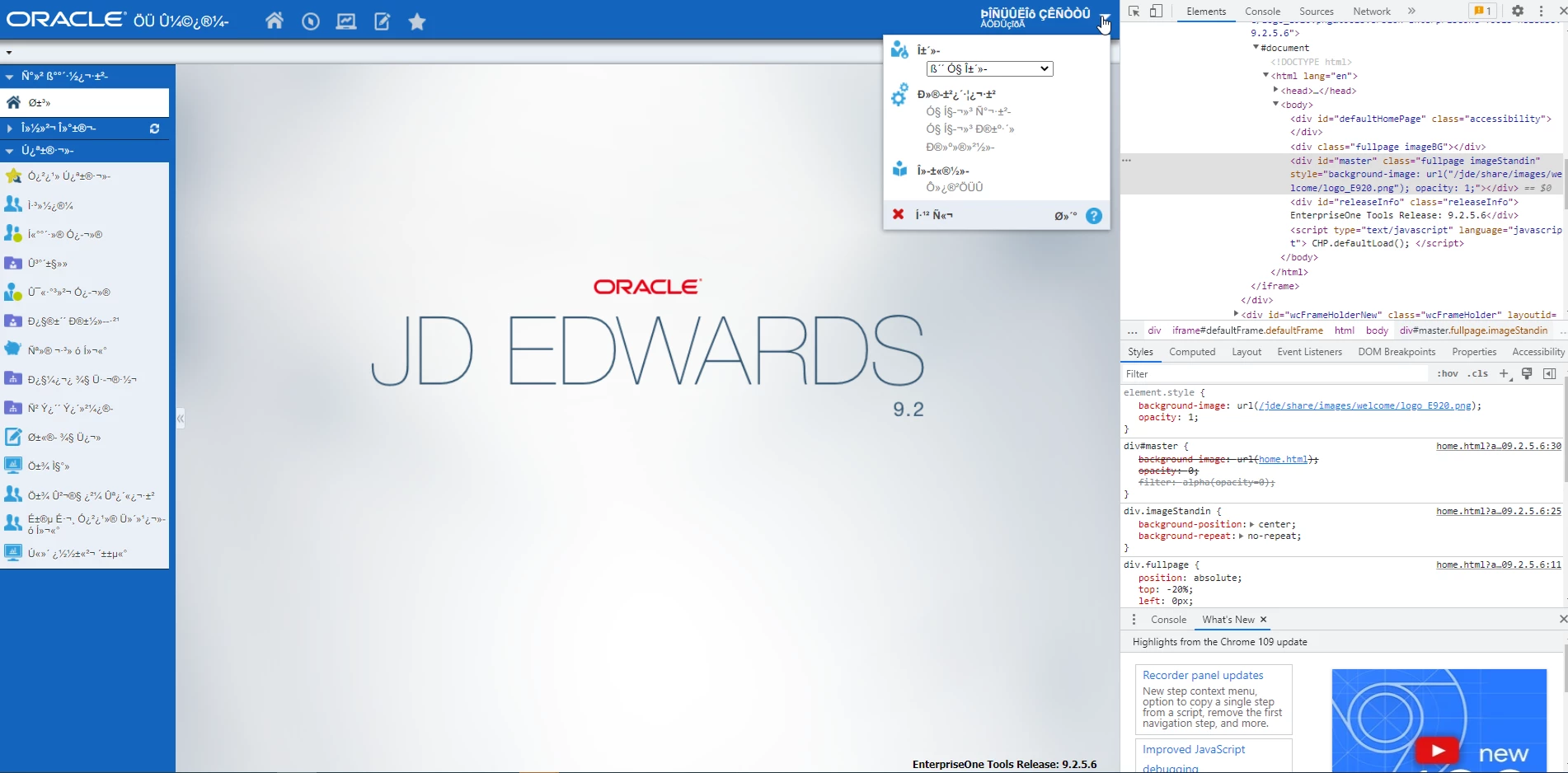
Gibberish characters appear in JDE web client after Acrobat Reader update 22.003.20310

This issue has been reported in both Edge and Chrome, but not Firefox. When users log into our JDE system via a web browser session, they see gibberish characters appearing instead of English throughout the home page. This started happening after applying update 22.003.20310. We went through exercise of clearing the C:\Users\XYZ\AppData\Local\Temp\acrord32_sbx and acrord32_super_sbx folders for the user's profile and that seemed to work but it appears they come back after a pdf file is generated. We then saw that optional update 22.003.20314 was available and one of the bug fixes mentioned IME experience for Japanese language on Windows and hoped that may have been related to what we are seeing, but unfortunately the issue still appears with that update. Looking for some assistance on what can be done to resolve this. Thanks
This topic is closed to new replies. Start a new post to keep the conversation going.

6 replies

Participant
Mar 14, 2023 12:21 PM UTC

Any further updates on this problem?  We have done the recommended steps from Oracle to no avail.  As mentioned above, the only solution thus far has been to completely remove Adobe (which is not something we can permanently do).  This has been ongoing for 6 weeks with no resolution. 

Translate
CVirtGSIAuthor
Participant
Mar 14, 2023 2:32 PM UTC

Haven't tried Oracle's recommendation to change JAS font from Arial to something else.  The stopping and disabling of the one local service has had mixed results. 


It's a shame that Adobe's official support for Acrobat Reader is these forums and it appears they don't check the forums themselves for issues people are having.


The only true "solution" we've seen is to replae Adobe with something else.

Translate
Participant
Mar 27, 2023 9:49 AM UTC

Hi everybody,


Has found someone a permanent workaround to this issue? We have a simultaneous users that usually work with adobe professional =/    "-.-


Kind regards and thank you!!

Translate
CVirtGSIAuthor
Participant
Feb 27, 2023 3:06 PM UTC

Oracle has released some info on this.  You can review E1: JAS: Unreadable Characters (Random ASCII Symbols/Gibberish/Hieroglyphics) On The Web Client (Doc ID 2923250.1) for further info

Translate
Participant
Feb 8, 2023 1:13 PM UTC

Any answer? we had this problem alot lately 

Translate
CVirtGSIAuthor
Participant
Feb 8, 2023 1:56 PM UTC

Hi Fortier283152886bsu,

Unfortunately, you're the first I've heard from about this post. No feedback from Adobe. We have an SR logged with Oracle to see how they can help but it's clearly an Adobe caused issue. The only resolution we've see was to uninstall Acrobat Reader and use an alternate pdf reader. Thanks

Translate