
Graphic bug when clicking in any pdf file in acrobat reader
Hi,
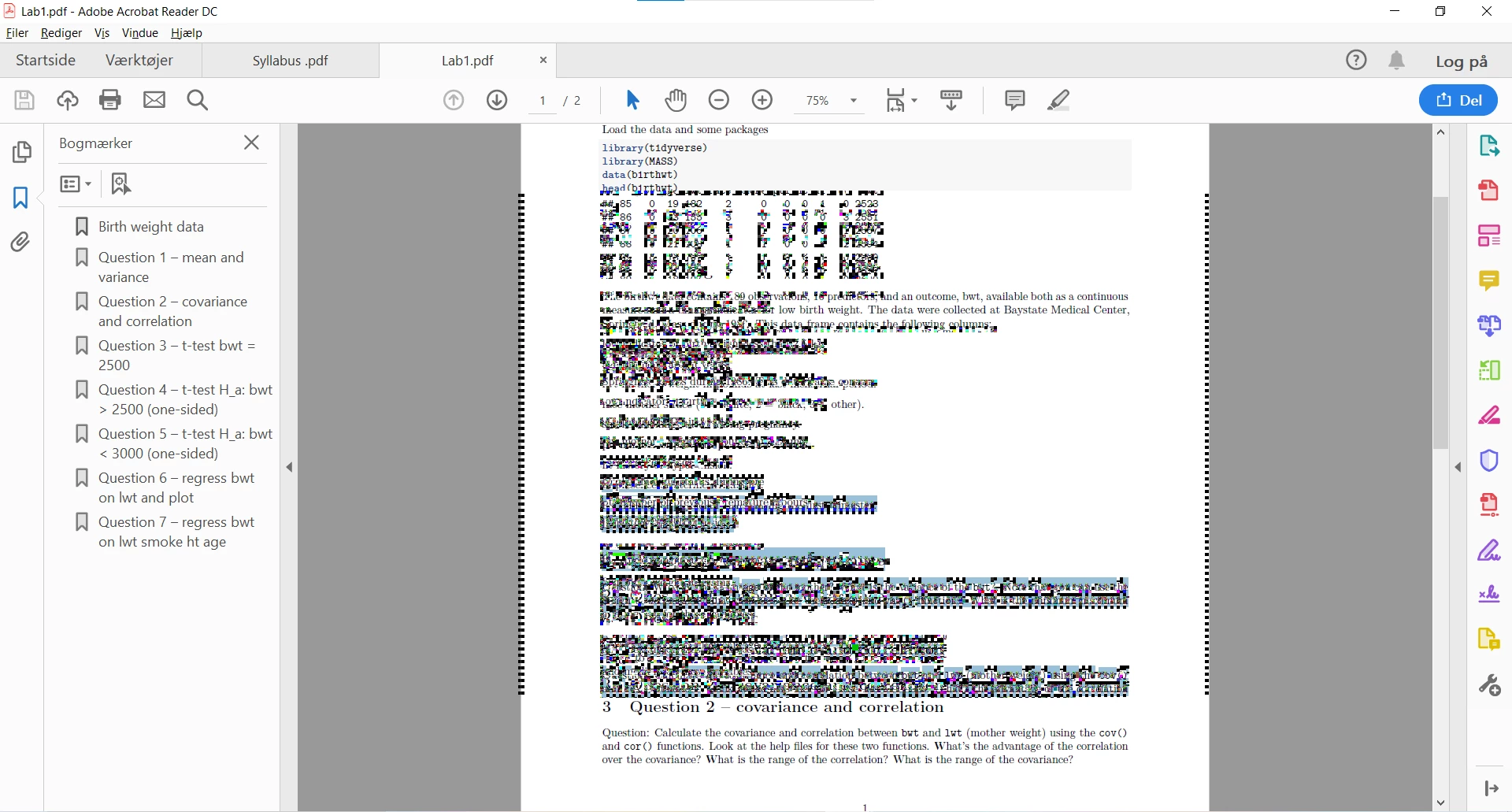
I have experienced an issue where, when I click a random place on a page in a PDF document, the entire page turns into a graphic mess, which is definitely not readable (see attached). However, I can select the entire page (or the entire document via ctrl+A) and then the graphic bug disappears (while of course the entire document is now "selected") until I click a random place again.
I have a Lenovo Yoga Slim 7 14" with an AMD 4700U processor, and I have just run Microsoft's ram error recognition tool, which identified no errors. I also tried reinstalling Acrobat Reader. I am not experiencing anything like this issue in any other app/program either.
Please let me know if any of you have a tip for how I can resolve this issue.
Thanks,
Jonas


 AdChoices